Opera browser required.
Theater Mode is an addon that helps you focus on the video when watching online content. It simply darkens the whole page except the video element and let you watch the video without any distractions.
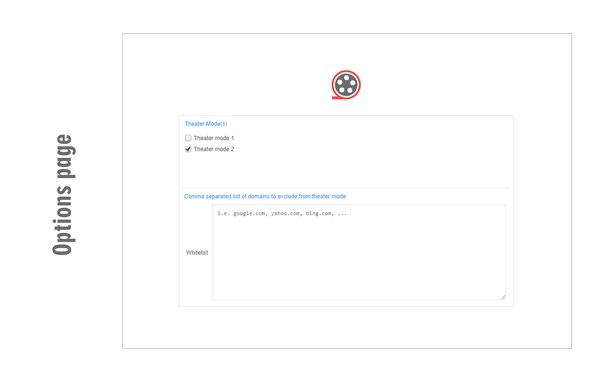
Please note that theater mode is not designed for normal browsing. Only enable it if you want to watch a video, otherwise, the whole page will be dark. There is also a whitelist feature in case you want to permanently exclude a website from theater mode.
To work with this addon, simply open a website with video content(s). Start (play) the video and then click on the theater mode button in the toolbar. The whole page will be converted to dark but the video remains visible. If you have a feature request or found a bug to report, please fill the bug report form on the addon homepage (https://mybrowseraddon.com/theater-mode.html).
Screenshots
About the extension
- Downloads
- 7,900
- Category
- Fun
- Version
- 0.1.2
- Size
- 42.5 KB
- Last update
- Dec. 20, 2022
- License
- Copyright 2020 elennorphen
- Support page
- https://mybrowseraddon.com/theater-mode.html
Related
-
Snow for Opera
Add falling snow to your page for a snowstorm effect and turn it into a winter wonderland.
Rating: Total number of ratings: 14
-
AniWatcher
AniWatcher remembers the series, anime and manga on which you stopped, and also reminds you of the release of new episodes.
Rating: Total number of ratings: 2
-
Sidebar for YouTube™
Easy Access to YouTube via Sidebar UI
Rating: Total number of ratings: 770
-
Magic Actions for YouTube™
Enhance your YouTube watching experience! Cinema Mode, Mouse Wheel Volume Control, AutoHD, Expand, Snapshots …
Rating: Total number of ratings: 1481
-
Tetris
Tetris is a tile-matching puzzle game.
Rating: Total number of ratings: 31