Kailangan ang browser ng Opera.
JavaScript Switch ON|OFF is an addon that helps you quickly turn the JavaScript engine in your browser ON or OFF via the toolbar button.
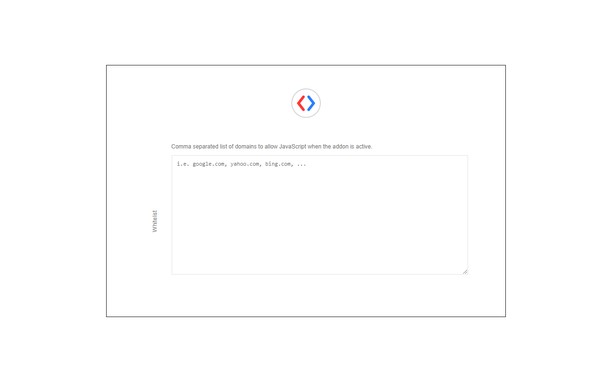
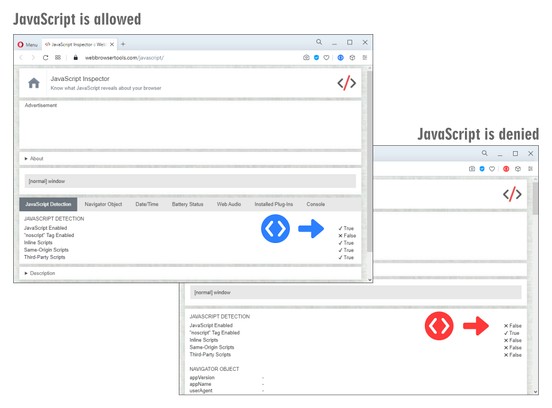
When the toolbar icon color is green, JavaScript is allowed in the browser, and when it turns red, it means JavaScript is denied globally. Now you can reload any website without JavaScript running. If you need to whitelist a domain (i.e. www.example.com) please right-click on any page and then click on the - Add domain to the whitelist - context menu item. Alternatively, you can open the options page and add the desired domain to the designated area (text area). Please note, domains need to be added comma-separated (domain1.com, domain2.com, etc). You can also enter URLs and the addon will convert them to a domain.
To report bugs, please fill the bug report form on the addon's homepage (https://mybrowseraddon.com/javascript-switch.html).
- Mamamanipula ng extension na ito ang mga setting na tumutukoy kung maaring gumamit o hindi ng mga tampok ang mga website tulad ng cookies, JavaScript, at mga plug-ins
Mga screenshot
Tungkol sa extension
- Mga download
- 39660
- Kategorya
- Pagkapribado at Seguridad
- Bersyon
- 0.1.9
- Laki
- 36.2 KB
- Last update
- Jan. 28, 2025
- Lisensya
- Copyright 2025 alexmarcoo
- Pahina ng suporta
- https://mybrowseraddon.com/javascript-switch.html
Related
-
uBlock Origin
Finally, an efficient blocker. Easy on CPU and memory.
Rating: Kabuuang bilang ng mga rating: 5873
-
BIFIT Signer
BIFIT digital signature plug-in
Rating: Kabuuang bilang ng mga rating: 3
-
AdBlocker Ultimate
Free and improved AdBlocker. Completely remove ALL ads. No "acceptable" ads or whitelisted advertisers, block tracking and malware!
Rating: Kabuuang bilang ng mga rating: 328
-
LastPass
LastPass is an award-winning password manager for secure credential management on any device.
Rating: Kabuuang bilang ng mga rating: 320
-
Security Tweaks
Improve your security and browse safer with seven tweaks.
Rating: Kabuuang bilang ng mga rating: 6