


 O navegador Opera é necessário.
- Esta extensão consegue acessar seus dados em todos os sites.
- This extension can create rich notifications and display them to you in the system tray.
- Esta extensão consegue acessar suas guias e atividades de navegação.
Capturas de tela

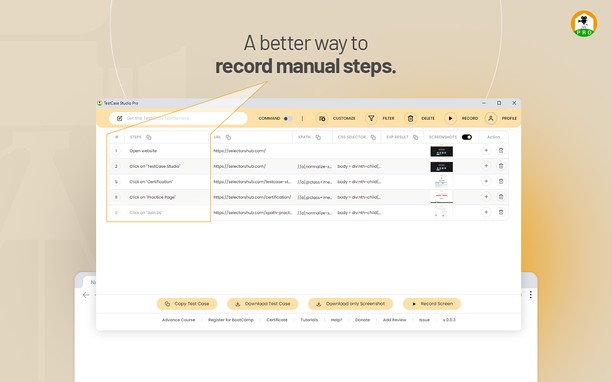


Sobre a extensão
- Downloads
- 146
- Categoria
- Ferramentas de desenvolvimento
- Versão
- 2.1.2
- Tamanho
- 908,1 KB
- Última atualização
- 12 de Junho de 2024
- Licença
- Política de privacidade
- Site do serviço
- https://selectorshub.com/testcase-studio-pro/
- Página de suporte
- https://www.selectorshub.com
Relacionados
-

CSS & JS Injector
Easily customize your browsing experience CSS & JS Injector is a tool for developers, designers, and power users. Apply custom CSS styles and JavaScript to specific websites effortlessly. Boost productivity and customize the look, feel, and functionality of websites without altering its source code.
-

My IP Address Checker: Test IP + IPv6 + VPN
Exibe informações e detalhes do endereço IP, como localização e uso de VPN, quando clicar no botão de IP.
-

Web Developer
Adds a toolbar button with various web developer tools. The official port of the Web Developer extension for Firefox.
-

Web Widgetizer
Web Widgetizer is a extension offering a range of features to enhance browsing. It allows users to create separate Opera windows for specific websites, manage favorite links, customize window dimensions, toggle auto-start, and open links in popup tabs via button click or shortcut (Ctrl + Shift + A). This versatile tool optimizes browsing convenience and efficiency.
-

Quick Schema - JSON-LD Generator
Generate and copy LocalBusiness schema markup with one click. A free tool by Ideal Media Pro.