Le navigateur Opera est requis.
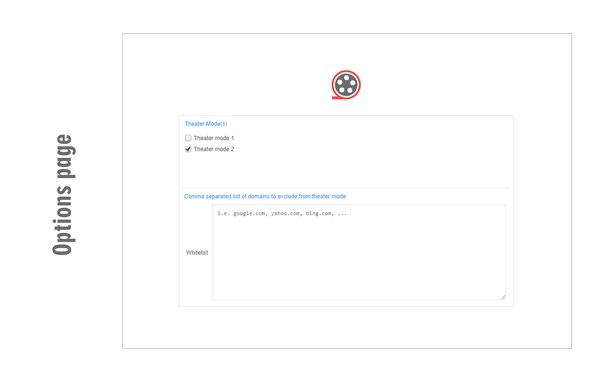
Theater Mode is an addon that helps you focus on the video when watching online content. It simply darkens the whole page except the video element and let you watch the video without any distractions.
Please note that theater mode is not designed for normal browsing. Only enable it if you want to watch a video, otherwise, the whole page will be dark. There is also a whitelist feature in case you want to permanently exclude a website from theater mode.
To work with this addon, simply open a website with video content(s). Start (play) the video and then click on the theater mode button in the toolbar. The whole page will be converted to dark but the video remains visible. If you have a feature request or found a bug to report, please fill the bug report form on the addon homepage (https://mybrowseraddon.com/theater-mode.html).
Saisies d'écran
À propos de l'extension
- Téléchargements
- 8 168
- Catégorie
- Divertissement
- Version
- 0.1.2
- Taille
- 42,5 Kio
- Dernière mise à jour
- 20 décembre 2022
- Conditions d'utilisation
- Copyright 2020 elennorphen
- Page d'assistance
- https://mybrowseraddon.com/theater-mode.html
Related
-
PirAStack Live
Extension pour savoir quand PirAStack est en live
Pointage: Nombre maximal d'évaluations: 2
-
Magic Actions for YouTube™
Enhance your YouTube watching experience! Cinema Mode, Mouse Wheel Volume Control, AutoHD, Expand, Snapshots …
Pointage: Nombre maximal d'évaluations: 1388
-
CPS Test - Check Click Per Second / CPS Tester
Build your own cps record.
Pointage: Nombre maximal d'évaluations: 13
-
Sidebar for YouTube™
Easy Access to YouTube via Sidebar UI
Pointage: Nombre maximal d'évaluations: 610
-
Emoji Censor
Redacts all emoji characters on a page, replacing them with black boxes.
Pointage: Nombre maximal d'évaluations: 3