Opera browser required.
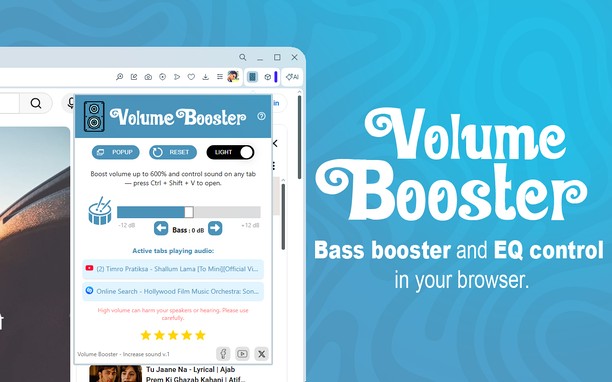
Volume Booster extension is designed to easily amplify and gain audio output on any tab. It allows you to increase the volume or sound level of your system by up to 600%. You'll enjoy the best listening experience—both for video and music.
This extension works perfectly with popular streaming services like YouTube, Vimeo, and Dailymotion. It makes sure the sound is louder and clearer, no matter where you're watching.
It's a simple way to boost sound quality in your browser while streaming, meetings, or listening to music.
Why Choose Volume Booster?
- Volume Boost up to 600%
- Bass Boost up to 12dB
- Easy One-Click Control
- Instant Reset Button
- Works on Any Website
How to use the Volume Booster extension?
1. Install Volume Booster.
2. Pin it to the toolbar and click on the extension icon.
3. Use the arrow buttons to set the boosting mode.
4. Next, select the boost level using the slider.
Free Use.
Open source with public license (GPLv3)
Project change log:
https://github.com/code-hemu/volume-booster/releases
Contributors @ Github:
https://github.com/code-hemu/volume-booster/graphs/contributors
We would be happy to see your feedback for our extension in the ‘Reviews’ section.
- This extension can access your data on all websites.
- This extension can access your tabs and browsing activity.
Screenshot
About the extension
- Downloads
- 139,212
- Category
- Accessibility
- Version
- 1.2.8
- Size
- 73.9 KB
- Last update
- March 30, 2026
- License
- Privacy policy
- Source code page
- https://github.com/code-hemu/volume-booster
Related
-
Whatonsaletoday.com - Find Discounts
Whatonsaletoday.com Providing you the best deals and coupons on the go.
Rating: Total number of ratings: 1
-
PassionApk - Tips & Tricks
Our Website is for Android/iOS users that provides you Free 100% Working tips and tricks with complete guides and without any Trouble.
Rating: Total number of ratings: 1
-
BTEASY GUIDE
BTEASY GUIDE Provides easy way to find out economical products in the India Market.
Rating: Total number of ratings: 0
-
GIF Control
Stop animated images from autoplaying and play them when you choose.
Rating: Total number of ratings: 0
-
Zoom
Zoom in or out on web content using the zoom button and mouse scroll wheel for more comfortable reading. That to each percent value.
Rating: Total number of ratings: 178