需要 Opera 瀏覽器。
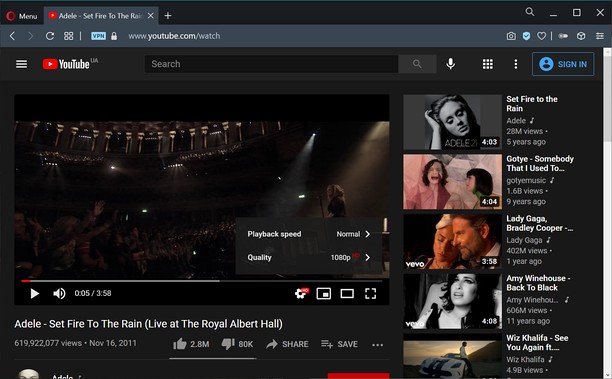
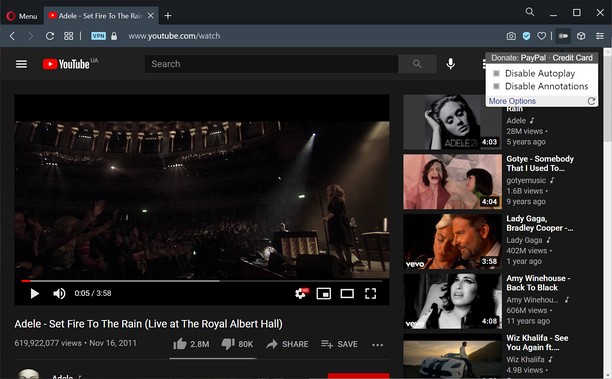
Turn off YouTube autoplay or turn off YouTube annotations. Also hides the toggle option when disabled.
Compatible with mobile and embedded YouTube videos as well.
For more features including removing recommendations, comments, and more, try the Unhook YouTube add-on: https://chrome.google.com/webstore/detail/unhook-remove-youtube-rec/khncfooichmfjbepaaaebmommgaepoid
Turn Off YouTube Autoplay Next & Annotations is available on:
- Opera: https://addons.opera.com/en/extensions/details/turn-off-youtube-autoplay-next-annotations/
- Chrome: https://chrome.google.com/webstore/detail/turn-off-youtube-autoplay/pcapooophggbaedfdmmmmbldmhlbbjob
- Firefox: https://addons.mozilla.org/firefox/addon/youtube-autoplay-annotations/
- Microsoft Edge: https://microsoftedge.microsoft.com/addons/detail/turn-off-youtube-autoplay/apdogalndjbldgojpfofdcdlmblgpjef
- 這個延伸套件能存取你部分網站的資料。
螢幕截圖
關於延伸套件
- 下載次數
- 1906
- 分類
- 生產應用
- 版本
- 1.0.8
- 大小
- 11.3 KB
- Last update
- Jan. 20, 2023
- 使用者授權條款
- 隱私權政策
- 提供服務的網站
- https://unhook.app/
Related
-
Textbox Auto Resizer
Automatically resizes input fields and textareas while you're typing
評分: 評分的總次數: 20
-
Atavi bookmarks
书签与所有的设备和浏览器同步
評分: 評分的總次數: 171
-
Evernote Web Clipper
使用 Evernote 擴充套件,將您在網路上的所見所聞儲存至 Evernote 帳戶。
評分: 評分的總次數: 633
-
Stay Productive
Remove feed and notifications from Facebook, Twitter, Linkedin ... To stay productive !
評分: 評分的總次數: 4
-
QR Code Tab
Adds a button in toolbar and show URL from current tab as QR code
評分: 評分的總次數: 9