


 需要 Opera 瀏覽器。
- 這個延伸套件能存取你的頁籤與瀏覽活動。
螢幕截圖

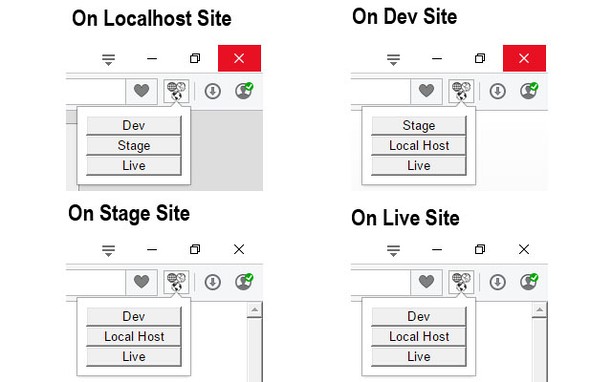
關於延伸套件
- 下載次數
- 3008
- 分類
- Developer Tools
- 版本
- 1.0.6
- 大小
- 47.6 KB
- Last update
- Sept. 9, 2015
- 使用者授權條款
- Copyright 2015 fractorr
Related
-

EditThisCookie
EditThisCookie是一个cookie管理器。您可以添加,删除,编辑,搜索,锁定和屏蔽cookies!
-

Web Developer
Adds a toolbar button with various web developer tools. The official port of the Web Developer extension for Firefox.
-

Web Widgetizer
Web Widgetizer is a extension offering a range of features to enhance browsing. It allows users to create separate Opera windows for specific websites, manage favorite links, customize window dimensions, toggle auto-start, and open links in popup tabs via button click or shortcut (Ctrl + Shift + A). This versatile tool optimizes browsing convenience and efficiency.
-

RestMan
RESTMan is a browser extension to work on http requests.
-

Extension Auditor
Browser Extension Security & Privacy Analyzer