


 需要 Opera 瀏覽器。
- 這個延伸套件能存取你的頁籤與瀏覽活動。
螢幕截圖


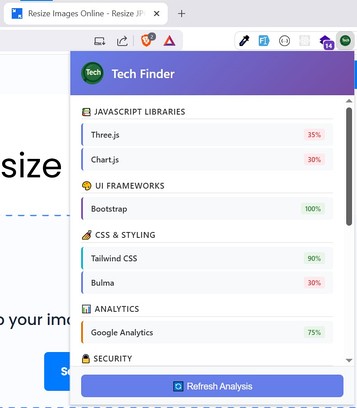
關於延伸套件
- 下載次數
- 292
- 分類
- Developer Tools
- 版本
- 1.0
- 大小
- 22.1 KB
- Last update
- July 28, 2025
- 使用者授權條款
- Copyright 2025 3266d170-56ea-4b75-a0ac-cfcf7be5e2b6
Related
-

Web Developer
Adds a toolbar button with various web developer tools. The official port of the Web Developer extension for Firefox.
-

CSS & JS Injector
Easily customize your browsing experience CSS & JS Injector is a tool for developers, designers, and power users. Apply custom CSS styles and JavaScript to specific websites effortlessly. Boost productivity and customize the look, feel, and functionality of websites without altering its source code.
-

Web Widgetizer
Web Widgetizer is a extension offering a range of features to enhance browsing. It allows users to create separate Opera windows for specific websites, manage favorite links, customize window dimensions, toggle auto-start, and open links in popup tabs via button click or shortcut (Ctrl + Shift + A). This versatile tool optimizes browsing convenience and efficiency.
-

Picture in Play
Indicates whether the `picture` element is in use on a page.
-

Caffeine
Keep awake which prevents the OS from automatically going to sleep, dimming the screen or starting screen savers