


 需要使用 Opera 浏览器。
屏幕截图

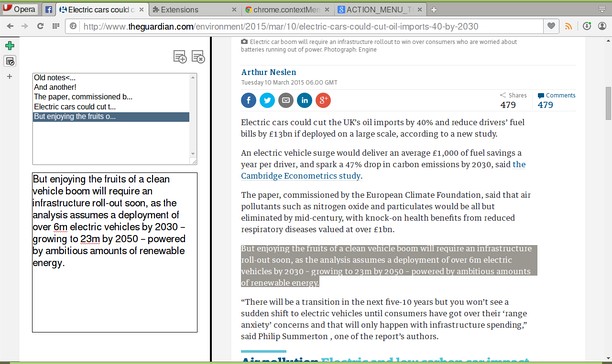
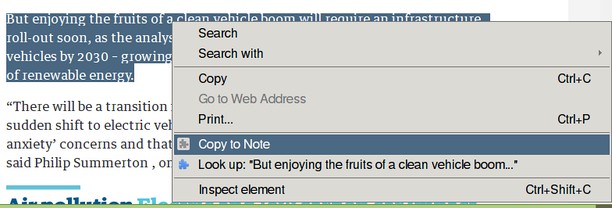
关于此扩展
- 下载次数
- 88674
- 类别
- 效率
- 版本
- 1.1.4.1
- 大小
- 9.3 KB
- Last update
- Oct. 26, 2017
- 许可证
- 源代码
- https://github.com/coreymwamba/old-opera-notes
相关
-

Customizer YouTube™
您可以自己从 YouTube 自定义主题和颜色。 你可以做更多的设置 Youtube
-

Boomerang for Gmail™
Allows you to schedule messages to be sent or returned at a later date.
-

Evernote Web Clipper
使用Evernote扩展程序一键保存精彩网页内容到Evernote帐户。
-

Cache Cleaner
Easily clear browser's cache via toolbar popup.
-

Gmail™ Panel (and Notifier)
Easy access to Gmail via toolbar-popup UI, plus, get badge notifications.