Kailangan ang browser ng Opera.
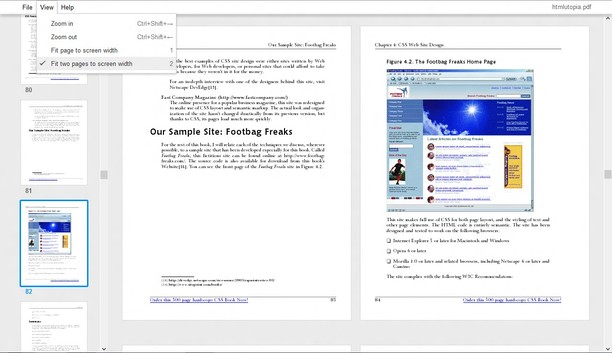
This extension enhances Opera's abilities to show online documents.
Just browse the web and whenever you click a link to a supported document on a website, Documents will do the rest - without the need of any plugin :)
Supported file types:
PDF
Word (.doc, .docx)
Excel (.xls, .xlsx)
Powerpoint (.ppt, .pptx)
Open Office (.odt, .ods)
Apple Pages
Adobe Illustrator (.ai)
Adobe Photoshop (.psd)
Tagged Image File (.tiff)
Autodesk AutoCad (.dxf)
Scalable Vector Graphics (.svg)
PostScript (.eps, .ps)
Fonts (.ttf, .otf)
XML Paper Specification (.xps)
Why using Documents instead of a plugin (e.g. Adobe Reader)?
+ works on any device and operating system
+ running natively in Opera and not as a separate process -> can't crash or freeze Opera
+ faster (the document opens pretty much instantly since it is parsed online)
+ saves bandwith and thus money on a data plan (the file does not have to be downloaded at all)
+ mouse gestures are working
+ you can adjust the look and feel by yourself by modifying the extension's code
+ substitutes multiple plugins at once (supports a lot more formats than a usual plugin does)
+ uses less resources
Documents makes use of Google Viewer.
Mga screenshot
Tungkol sa extension
- Mga download
- 302558
- Kategorya
- Pagiging produktibo
- Bersyon
- 3.1.1
- Laki
- 50.4 KB
- Last update
- Feb. 24, 2014
- Lisensya
- Pahina ng suporta
- https://christoph142.wordpress.com/2014/02/22/documents-3-1/
- Pahina ng source code
- https://github.com/Christoph142/Documents/tree/master/Chromium%20(.crx)
Related
-
YouTube™ All HTML5 Player
Switch All YouTube™ Videos to HTML5 Player
Rating: Kabuuang bilang ng mga rating: 6
-
IdleSwitcher
Auto-switches to a preset tab or cycle through tabs after the user becomes inactive.
Rating: Kabuuang bilang ng mga rating: 1
-
Boomerang for Gmail™
Allows you to schedule messages to be sent or returned at a later date.
Rating: Kabuuang bilang ng mga rating: 49
-
Evernote Web Clipper
Use the Evernote extension to save things you see on the web into your Evernote account.
Rating: Kabuuang bilang ng mga rating: 535
-
Magnifying Glass (Hover Zoom)
Press on the toolbar button to see the magnifying glass on the current page.
Rating: Kabuuang bilang ng mga rating: 7