


 จำเป็นต้องมี เบราเซอร์ Opera
- ส่วนขยายนี้สามารถเข้าถึงข้อมูลของคุณในเว็บไซต์ทั้งหมด
สกรีนช็อต

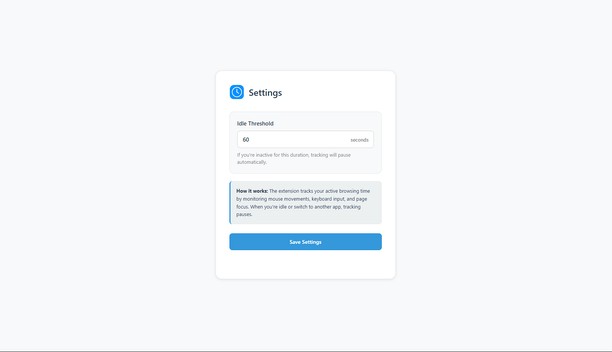
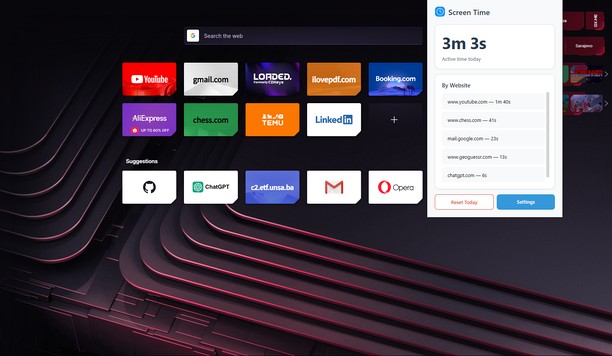
เกี่ยวกับส่วนขยาย
- ดาวน์โหลด
- 784
- หมวดหมู่
- ประสิทธิภาพ
- เวอร์ชัน
- 0.2.1
- ขนาด
- 30.7 KB
- Last update
- 12 ธันวาคม 2025
- ใบอนุญาต
- นโยบายความเป็นส่วนตัว
- หน้าการสนับสนุน
- https://github.com/KerimSikalo/ScreenTimeOperaExtension/issues
- หน้าซอร์สโค้ด
- https://github.com/KerimSikalo/ScreenTimeOperaExtension
Related
-

put.io
Adds an option to right-click menu that downloads the link with put.io.
-

Evernote Web Clipper
ใช้ส่วนขยาย Evernote เพื่อบันทึกสิ่งต่างๆ ที่คุณเห็นบนเว็บลงในบัญชี Evernote ของคุณ
-

Reload All Tabs
Reload all tabs using keyboard shortcut or toolbar button.
-

Atavi bookmarks
Visual bookmarks, bookmarks sync across various browsers and absolute safety for your bookmarks
-

GOOGLE APPS
All google web apps with a single click