O navegador Opera é necessário.
Font Inspector is an add-on that helps you easily inspect all fonts within a website.
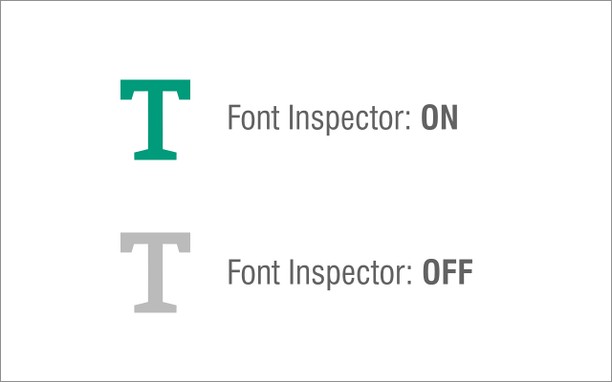
To start working with this addon, simply click on the toolbar icon once to open the in-page UI. Then, click on any HTML element that you want to see the font info.
Please note that, as long as the UI is open, no links (or other functions) on the page will work. The in-page UI has several pieces of information related to the selected font such as font size, style, color, family, etc. Besides, there is information about the current tab such as id, width, height, title, and URL. If you click on the toolbar icon or press the escape button on your keyboard, the in-page UI will disappear and all the links within the page work as normal.
To report bugs, please fill the Bug report form on the addon's homepage (https://mybrowseraddon.com/font-inspector.html).
Capturas de tela
Sobre a extensão
- Downloads
- 25.733
- Categoria
- Ferramentas de desenvolvimento
- Versão
- 0.2.0
- Tamanho
- 25,4 KB
- Última atualização
- 17 de Dezembro de 2025
- Licença
- Copyright 2025 alexmarcoo
- Página de suporte
- https://mybrowseraddon.com/font-inspector.html
Relacionados
-
Shuffle Extension Toolbar
Customize the sequence of extension icons as you like
Classificação: Número total de classificações: 11
-
Cookie-Editor
Simple yet powerful Cookie Editor that allow you to quickly create, edit and delete cookies without leaving your tab.
Classificação: Número total de classificações: 96
-
Nextsense XML Signing Component
Signing XML document.
Classificação: Número total de classificações: 4
-
Web Developer
Adds a toolbar button with various web developer tools. The official port of the Web Developer extension for Firefox.
Classificação: Número total de classificações: 112
-
Web Widgetizer
Web Widgetizer is a extension offering a range of features to enhance browsing. It allows users to create separate Opera windows for specific websites, manage favorite links, customize window dimensions, toggle auto-start, and open links in popup tabs via button click or shortcut (Ctrl + Shift + A). This versatile tool optimizes browsing convenience and efficiency.
Classificação: Número total de classificações: 2