O navegador Opera é necessário.
Custom Style Script customizes the way a webpage looks or behaves, by adding a small JavaScript or CSS code. You can also specify a URL to add the code or add it to all pages.
Key features:
1. Add custom JavaScript codes or styles (CSS) to a specific page or all pages.
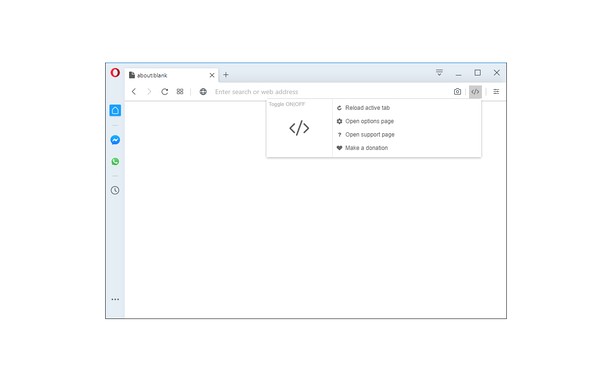
2. Clicking on the toolbar icon allows you to disable or enable the addon.
3. Each code item has several options to adjust (see options page for details).
4. You can add several code items and active or inactive them separately.
5. An example of how to add a code is available in the add-on's options page.
6. Before adding the code (JS or CSS) please make sure you have validated the code.
7. Online JS or CSS links (i.e. jQuery or bootstrap) can also be added to any page. See add-on's options page for details.
Note: to report bugs, or request a feature, please visit the add-on's homepage (https://mybrowseraddon.com/custom-style-script.html) and fill the bug report form.
- Esta extensão consegue acessar seus dados em todos os sites.
- Esta extensão consegue acessar suas guias e atividades de navegação.
Capturas de tela
Sobre a extensão
- Downloads
- 32.164
- Categoria
- Ferramentas de desenvolvimento
- Versão
- 0.1.4
- Tamanho
- 41,5 KB
- Última atualização
- 28 de Novembro de 2022
- Licença
- Copyright 2020 milenmonrov
- Página de suporte
- https://mybrowseraddon.com/custom-style-script.html
Relacionados
-
Sitemap Explorer: Check and View XML Sitemaps
Esta extensão ajuda você a encontrar, inspecionar, exportar e visualizar arquivos XML de Sitemap para qualquer site que você navegar em um navegador.
Classificação: Número total de classificações: 4
-
Extensions for Mermaid
A browser extension for Chrome, Opera & Firefox that adds Mermaid language support to GitHub. A fork from the not updated GitHub + Mermaid extension.
Classificação: Número total de classificações: 1
-
Web Widgetizer
Web Widgetizer is a extension offering a range of features to enhance browsing. It allows users to create separate Opera windows for specific websites, manage favorite links, customize window dimensions, toggle auto-start, and open links in popup tabs via button click or shortcut (Ctrl + Shift + A). This versatile tool optimizes browsing convenience and efficiency.
Classificação: Número total de classificações: 2
-
Edit with Sublime Text
Live editing text and HTML content of the page with the Sublime Text from the page context or DevTools.
Classificação: Número total de classificações: 4
-
Web Developer
Adds a toolbar button with various web developer tools. The official port of the Web Developer extension for Firefox.
Classificação: Número total de classificações: 112