Opera-browser vereist.
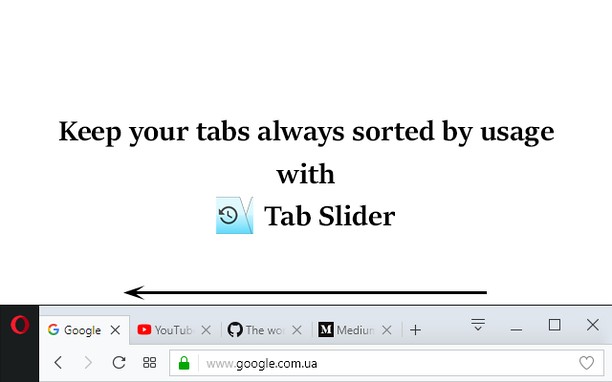
This extension keeps browser tabs sorted in most recently used order (MRU), from left to right, just like a list of apps is organized on desktop OSes (while holding Alt+Tab). Tab Slider brings this behavior to Opera for your convenience. Try it!
For this extension to function naturally, disable the "Cycle tabs in most recently used order" Opera setting.
How it works:
+ If you stay on tab more than 1 second (default), it will "slide" to the leftmost position;
+ In this way, most recently used tabs always stay left-to-right ordered;
+ Because of the order, naturally, when switching tabs with Ctrl+Tab, the browser will switch to the next most recently used tab;
+ Pinned tabs will slide to the opposite side, from left to right. This behavior is intended, enabling you to conveniently switch between most recently used pinned tabs and most recently used normal tabs with keyboard shortcuts (Ctrl+Shift+Tab switches to most recently used pinned tab, and Ctrl+Tab switches back to most recently used normal tab).
+ You can customize reordering delay in extension's settings;
+ New active tabs appear left immediately.
Once you understand this concept, you will find such reordering of tabs absolutely natural and logical.
- Deze extensie kan toegang krijgen tot je tabs en browseactiviteit.
Screenshots
Over de extensie
- Downloads
- 6.022
- Categorie
- Productiviteit
- Versie
- 1.7
- Grootte
- 12,8 KB
- Last update
- 3 januari 2018
- Licentie
- Privacybeleid
- Ondersteuningspagina
- https://github.com/ZitRos/tab-slider/issues
- Broncodepagina
- https://github.com/ZitRos/tab-slider
Gerelateerd
-
Evernote Web Clipper
Gebruik de Evernote extensie om dingen die je ziet op het internet in je Evernote account op te slaan.
Waardering: Totaal aantal waarderingen: 549
-
AdBlocker for Gmail™
Removes all annoying Ads and banners from your Gmail
Waardering: Totaal aantal waarderingen: 10
-
Boomerang for Gmail™
Allows you to schedule messages to be sent or returned at a later date.
Waardering: Totaal aantal waarderingen: 46
-
Edit with Notepad++
Edit content of text area elements, or inner and outer HTML of node elements in Notepad++ text editor with real-time updates
Waardering: Totaal aantal waarderingen: 2
-
Calculator
Visually appealing simple calculator! can be used with mouse or keyboard
Waardering: Totaal aantal waarderingen: 36