Opera-browser vereist.
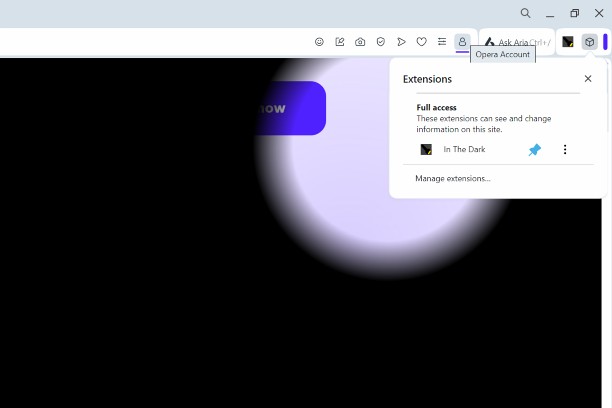
You can click the extension (Located in the menu from the cube in the top right; pin it for easy access.), and it makes the web page black. Your mouse is a torch and you can use it to see. To turn it off, click the extension icon again.
To access the settings, click Extensions > Manage extensions > Options (under In The Dark)
Screenshots
Over de extensie
- Downloads
- 2.731
- Categorie
- Uiterlijk
- Versie
- 1.4.1
- Grootte
- 12,5 KB
- Last update
- 21 mei 2025
- Licentie
- Copyright 2025 a869c675-516a-4870-a8d1-dc2c784216f3
Gerelateerd
-
Дизайн-студия интерьера PRO Interior Design
Приложение от официальной дизайн-студии интерьера «PRO Interior Design». An application from the official interior design studio "PRO Interior Design".
Waardering: Totaal aantal waarderingen: 3
-
Fast Image Blocker
Blocks all images and visual content on desired websites.
Waardering: Totaal aantal waarderingen: 9
-
Google Search Dark Mode
Implements a Dark Mode for Google Search.
Waardering: Totaal aantal waarderingen: 8
-
Night Mode Pro
Switch to night mode and the display is much easier on your eyes!
Waardering: Totaal aantal waarderingen: 55
-
Taringa sin Perdidas
Waardering: Totaal aantal waarderingen: 4