


 Krever Opera-nettleseren.
- Denne utvidelsen har tilgang til dataene dine på alle nettsteder.
- Denne utvidelsen har tilgang til fanene og nettleseraktiviteten din.
Skjermbilder

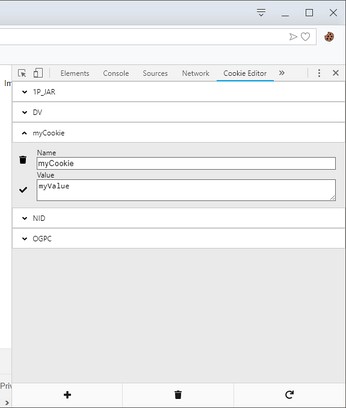
Om utvidelsen
- Nedlastinger
- 242 411
- Kategori
- Developer Tools
- Versjon
- 1.13.0
- Størrelse
- 274,4 KB
- Last update
- 30. oktober 2024
- Lisens
- Retningslinjer for personvern
- Nettside for tjeneste
- https://cookie-editor.com
- Side for brukerstøtte
- https://github.com/Moustachauve/cookie-editor/issues
- Side for kildekode
- https://github.com/Moustachauve/cookie-editor/
Related
-

Password Show - Reveal Login Passwords
Reveal hidden password fields only during login. Includes whitelist and blacklist options.
-

Web Widgetizer
Web Widgetizer is a extension offering a range of features to enhance browsing. It allows users to create separate Opera windows for specific websites, manage favorite links, customize window dimensions, toggle auto-start, and open links in popup tabs via button click or shortcut (Ctrl + Shift + A). This versatile tool optimizes browsing convenience and efficiency.
-

Bitbucket PR Reviewer
Review bitbucket pull-requests comments
-

Web Developer
Adds a toolbar button with various web developer tools. The official port of the Web Developer extension for Firefox.
-

Image Resizer
Rescale multiple images into different sizes in a single step