


 Opera ブラウザ が必要です。
- この拡張機能は、すべてのサイトのデータにアクセス可能です。
スクリーンショット

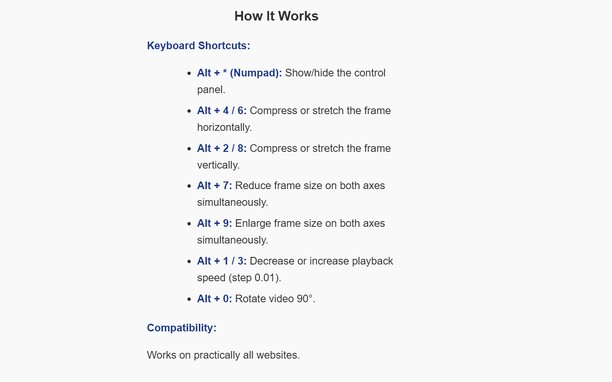
拡張機能について
- ダウンロード数
- 317
- カテゴリ
- 効率アップツール
- バージョン
- 1.2.0
- サイズ
- 26.8 KB
- Last update
- 2026年1月20日
- ライセンス
- プライバシーポリシー
Related
-

Web Clipper: Easy Screenshot
ビジュアル部分、ページ全体、または自動スクロールと編集をサポートする選択領域のためのオールインワンキャプチャーツール
-

Percentage Calculator
Calculate Percentage value by applying percentage on an amount. Also calculates final amount by adding percent amount
-

VSCO Profile Picture Downloader
Downloads VSCO™ Profile Picture For You
-

Atavi bookmarks
全デバイスとブラウザーのブックマークを同期
-

Evernote Web Clipper
Evernote の拡張機能を使用して、Web 上で見つけたページを Evernote アカウントに保存します。