


 È richiesto il browser Opera.
- This extension can exchange messages with programs other than Opera.
- This extension can create rich notifications and display them to you in the system tray.
Screenshot

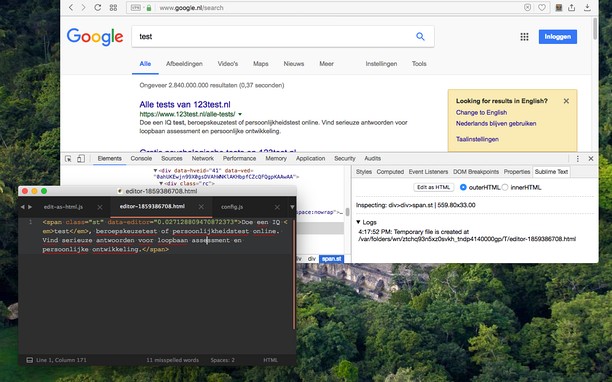
Informazioni sull'estensione
- Scaricamenti
- 5.518
- Categoria
- Strumenti per sviluppatori
- Versione
- 0.2.3
- Dimensione
- 185,5 KB
- Ultimo aggiornamento
- 24 Agosto 2022
- Licenza
- Copyright 2022 joe-ertaba
- Sito web del servizio
- https://add0n.com/edit-as-html.html?from=sublime
- Pagina di supporto
- https://add0n.com/edit-as-html.html?from=sublime
- Pagina del codice sorgente
- https://github.com/belaviyo/edit-as-html/
Correlati
-

Web Widgetizer
Web Widgetizer is a extension offering a range of features to enhance browsing. It allows users to create separate Opera windows for specific websites, manage favorite links, customize window dimensions, toggle auto-start, and open links in popup tabs via button click or shortcut (Ctrl + Shift + A). This versatile tool optimizes browsing convenience and efficiency.
-

Web Developer
Adds a toolbar button with various web developer tools. The official port of the Web Developer extension for Firefox.
-

Extensions for Mermaid
A browser extension for Chrome, Opera & Firefox that adds Mermaid language support to GitHub. A fork from the not updated GitHub + Mermaid extension.
-

Open in Google Chrome
Open current page, link, or all tabs in the Chrome browser.
-

Gridify - Keyboard Link Selector
Seleziona qualsiasi link, immagine, casella di input, o una regione selezionabile nella pagina corrente senza usare il mouse solo con alcuni colpi di tastiera