


 Dibutuhkan browser Opera.
- Ekstensi ini bisa mengakses data Anda di semua website.
Screenshot

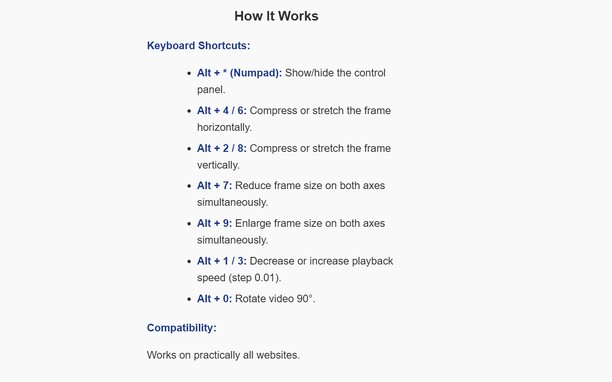
Tentang ekstensi ini
- Unduh
- 317
- Kategori
- Produktivitas
- Versi
- 1.2.0
- Ukuran
- 26,8 KB
- Pembaruan terakhir
- 20 Jan. 2026
- Lisensi
- Kebijakan privasi
Terkait
-

APR to APY
Convert Annual Percent Rate to Annual Percent Yield based on various compounding methods ranging from daily to yearly
-

Language Transliteration
Language Transliteration - Type in your own language
-

OCR Web
An essential and practical application for free-hand drawing and for optical character recognition in multiple languages.
-

Evernote Web Clipper
Gunakan ekstensi Evernote untuk menyimpan hal-hal yang Anda lihat di web ke akun Evernote Anda.
-

Atavi bookmarks
Visual bookmarks, bookmarks sync across various browsers and absolute safety for your bookmarks