Dibutuhkan browser Opera.
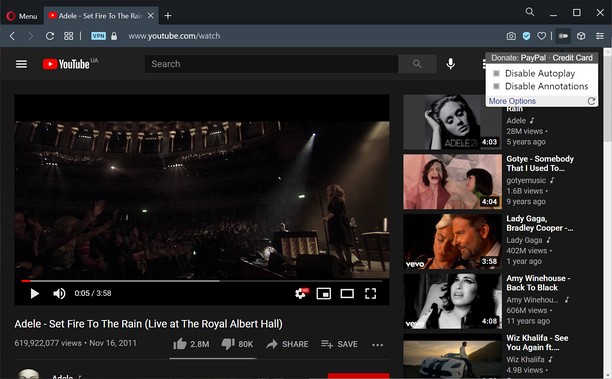
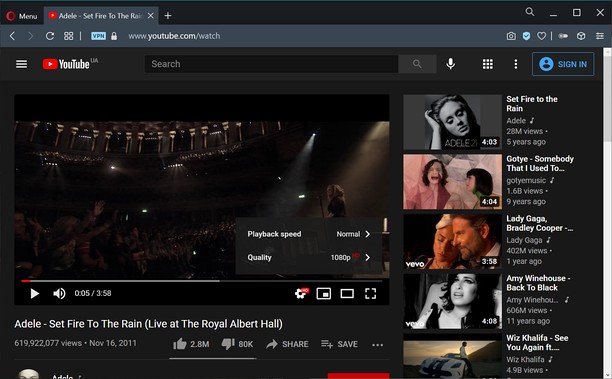
Turn off YouTube autoplay or turn off YouTube annotations. Also hides the toggle option when disabled.
Compatible with mobile and embedded YouTube videos as well.
For more features including removing recommendations, comments, and more, try the Unhook YouTube add-on: https://chrome.google.com/webstore/detail/unhook-remove-youtube-rec/khncfooichmfjbepaaaebmommgaepoid
Turn Off YouTube Autoplay Next & Annotations is available on:
- Opera: https://addons.opera.com/en/extensions/details/turn-off-youtube-autoplay-next-annotations/
- Chrome: https://chrome.google.com/webstore/detail/turn-off-youtube-autoplay/pcapooophggbaedfdmmmmbldmhlbbjob
- Firefox: https://addons.mozilla.org/firefox/addon/youtube-autoplay-annotations/
- Microsoft Edge: https://microsoftedge.microsoft.com/addons/detail/turn-off-youtube-autoplay/apdogalndjbldgojpfofdcdlmblgpjef
- Ekstensi ini bisa mengakses data Anda di beberapa website.
Screenshot
Tentang ekstensi ini
- Unduh
- 2.194
- Kategori
- Produktivitas
- Versi
- 1.0.8
- Ukuran
- 11,3 KB
- Pembaruan terakhir
- 20 Jan. 2023
- Lisensi
- Kebijakan privasi
- Layanan website
- https://unhook.app/
Terkait
-
Automatic Tab Opener
Enables the user to set specific times to open a tab for a specific URL with options of closing automatically the tab when complete
Pendapat: Jumlah total pendapat: 1
-
Window Resizer
Easily set the layout (size & position) of your browser window
Pendapat: Jumlah total pendapat: 9
-
Atavi bookmarks
Visual bookmarks, bookmarks sync across various browsers and absolute safety for your bookmarks
Pendapat: Jumlah total pendapat: 160
-
LeanTabs - Smart Tab & Workspace Manager
Turn browser chaos into a personal library. Instantly saves tabs and Opera Workspaces as organized links to clear your mind.
Pendapat: Jumlah total pendapat: 1
-
Evernote Web Clipper
Gunakan ekstensi Evernote untuk menyimpan hal-hal yang Anda lihat di web ke akun Evernote Anda.
Pendapat: Jumlah total pendapat: 553