


 Dibutuhkan browser Opera.
- This extension can write data into the clipboard.
- Ekstensi ini bisa mengakses tab dan aktivitas browsing Anda.
Screenshot


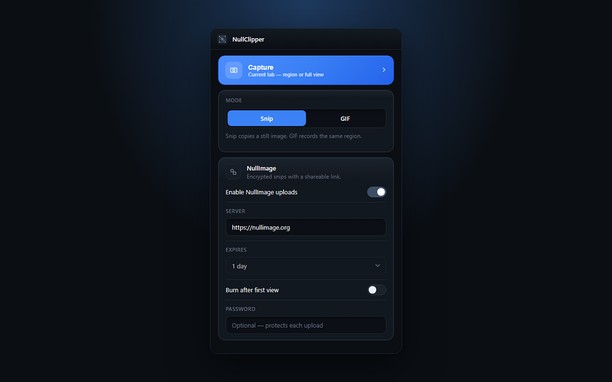
Tentang ekstensi ini
- Unduh
- 32
- Kategori
- Produktivitas
- Versi
- 1.0.0
- Ukuran
- 148,0 KB
- Pembaruan terakhir
- 22 Sep. 2026
- Lisensi
- Kebijakan privasi
- Layanan website
- https://nullimage.org/nullclipper
- Halaman dukungan
- https://github.com/fleames/NullClipper/issues
- Halaman source code
- https://github.com/fleames/NullClipper
Terkait
-

Microsoft Apps
access services easily microsoft
-

Evernote Web Clipper
Gunakan ekstensi Evernote untuk menyimpan hal-hal yang Anda lihat di web ke akun Evernote Anda.
-

Boomerang for Gmail™
Allows you to schedule messages to be sent or returned at a later date.
-

Undo/Duplicate Tabs
Undo a closed Tab(s) or create a duplicate of your current Tab
-

Twitch: Hide Elements
Hide Twitch visual elements like Recommended Channels, Prime Loot, etc.