


 Opera böngésző szükséges.
- Ez a kiegészítő hozzáfér az adatához az összes webhelyen.
- Ez a kiegészítő olyan beállításokat módosít, amik meghatározzák, hogy a webhelyek használhatnak-e például süti, JavaScript, és plugin funkciókat
- Ez a kiegészítő hozzáfér a lapokhoz és a böngészési tevékenységhez.
Képernyőképek
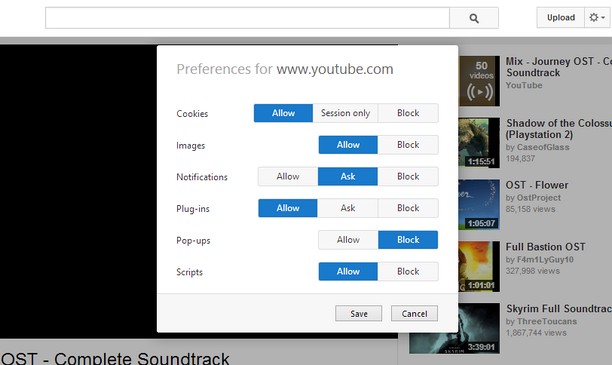
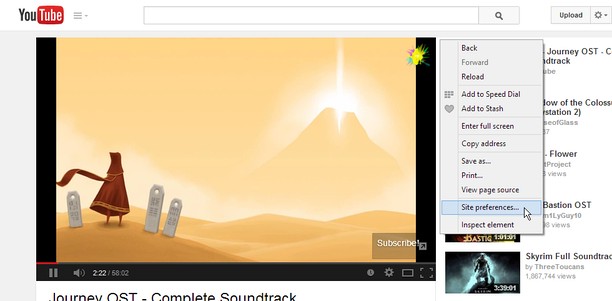
A kiegészítőről
- Letöltések
- 14 349
- Kategória
- Produktivitás
- Verzió
- 1.2
- Méret
- 45,8 KB
- Last update
- 2014. augusztus 18.
- Licenc
- Támogatási lap
- https://github.com/ChaosinaCan/SitePreferences/issues
- Forráskód lapja
- https://github.com/ChaosinaCan/SitePreferences
Kapcsolódó
-

External Application Button
Run any external application with custom arguments from the browser toolbar or context menu to send links, text and more
-

Evernote Web Clipper
Use the Evernote extension to save things you see on the web into your Evernote account.
-

MyIPCam
Easy and quick way to view and control your IP-cameras
-

Atavi bookmarks
Visual bookmarks, bookmarks sync across various browsers and absolute safety for your bookmarks
-

Close & Clean
Close all tabs and windows and clean up Opera in one single click