Le navigateur Opera est requis.
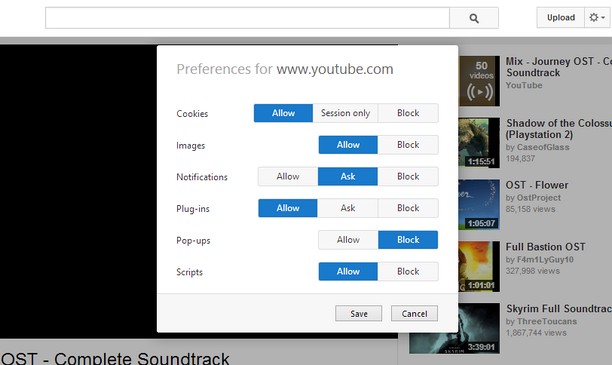
Site-specific Preferences brings back some of Opera 12's features for changing per-site settings. It lets you set whether Opera allows or blocks different types of content, such as plug-ins and pop-ups, for each site.
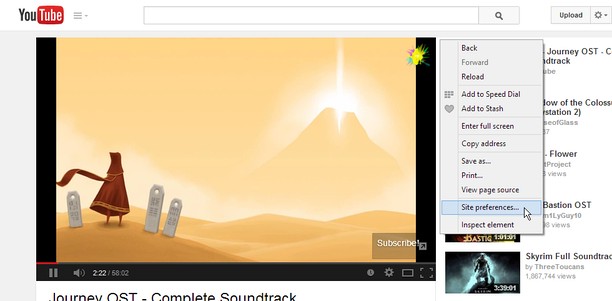
Just right-click the page background and select "Site preferences" to open the preferences for that site.
Using a certain, famous key sequence on the options page will let you allow, block or enable Click to play for individual plug-ins. This feature is experimental and might break things, so use it at your own risk.
Known Issues:
- Extensions are blocked on the Opera add-ons site, so the extension will not work here.
- The extensions API does not provide extensions with a list of the sites they have customized, so I cannot provide a centralized place to edit settings for multiple sites like in Opera 12's options page.
- Cette extension peut accéder vos données sur tous les sites.
- Cette extension peut manipuler les réglages spécifiant si les sites web peuvent utiliser des fonctionalités telles les témoins, JavaScript et les plugiciels
- Cette extension peut accéder vos onglets et activités de navigation.
Saisies d'écran
À propos de l'extension
- Téléchargements
- 14 323
- Catégorie
- Productivité
- Version
- 1.2
- Taille
- 45,8 Kio
- Dernière mise à jour
- 18 août 2014
- Conditions d'utilisation
- Page d'assistance
- https://github.com/ChaosinaCan/SitePreferences/issues
- Page source
- https://github.com/ChaosinaCan/SitePreferences
Related
-
Single Window (open links in active window)
Do not allow popup windows. Open all links in the current window
Pointage: Nombre maximal d'évaluations: 4
-
techzgaming.com
The concept of Techz Gaming is to provide the best recommendations based on honest reviews. It aims to guide and address users’ inquiries about various technology products, including motherboards, laptops, gadgets, and processors.
Pointage: Nombre maximal d'évaluations: 0
-
Yaware.TimeTracker Url Monitor
Time Tracker unit for monitoring URL in browsers
Pointage: Nombre maximal d'évaluations: 5
-
Evernote Web Clipper
Utilisez l’extension Evernote pour enregistrer ce que vous voyez sur le Web dans votre compte Evernote.
Pointage: Nombre maximal d'évaluations: 632
-
Atavi bookmarks
Synchronisations des marque-pages sur tous vos ordinateurs, appareils et navigateurs
Pointage: Nombre maximal d'évaluations: 172