


 Opera browser required.
Screenshots
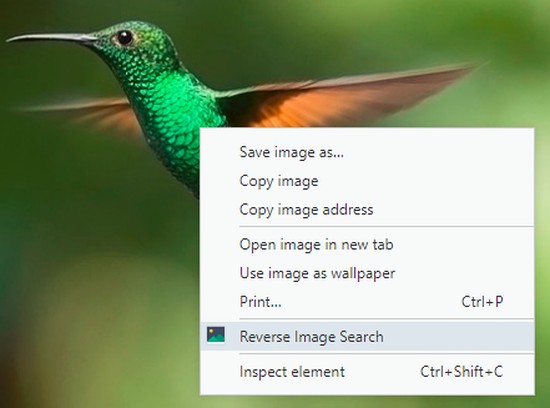


About the extension
- Downloads
- 66,534
- Category
- Search
- Version
- 4.4.3
- Size
- 103.5 KB
- Last update
- Aug. 19, 2025
- License
- Privacy policy
- Support page
- https://github.com/Brawl345/Image-Reverse-Search-WebExtension/issues
- Source code page
- https://github.com/Brawl345/Image-Reverse-Search-WebExtension
Related
-

Tomba : Email Finder
Data to power your entire business, with just one click.
-

World Wide Events
The World's most powerful Event aggregator. No need for logins, passwords, complications or configurations!
-

Flafi - fast search in the scam database
Flafi (short for FLAsc FInder) automatically checks the visited site for its presence in the database of fraudsters (on flasc.info).
-

TinEye Reverse Image Search
This is the official TinEye Opera extension. Find out where an image came from, how it's used, or find higher resolution versions.
-

MEPCO Bill - MEPCO Bill Online Check
MEPCO Bill Online Check by Reference Number. Enter your 14 Digit Reference Number to Check MEPCO Bill.