Opera browser required.
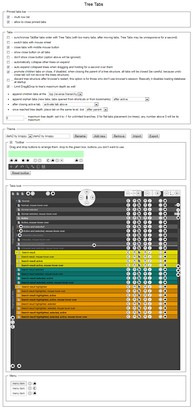
Using Tree Tabs, you can manage your tabs in a tree structure with ease, unlike the squished tabs at the top!
Use ctrl key to toggle selection, use shift key if you want to select more tabs at once.
When you search tabs, result is selected, so tabs can be immediately dragged and dropped. But if you don't want them to be selected just click on any tab and search result will change color.
- This extension can access your data on all websites.
- This Extension can read and modify bookmarks.
- This extension will add a panel to the sidebar.
- This extension can access your tabs and browsing activity.
- This extension can store an unlimited amount of client-side data.
Screenshots
About the extension
- Downloads
- 57,311
- Category
- Productivity
- Version
- 1.6.0
- Size
- 306.1 KB
- Last update
- Feb. 26, 2019
- License
- Copyright 2018 kroppy
Related
-
Evernote Web Clipper
Use the Evernote extension to save things you see on the web into your Evernote account.
Rating: Total number of ratings: 610
-
Atavi bookmarks
Visual bookmarks, bookmarks sync across various browsers and absolute safety for your bookmarks
Rating: Total number of ratings: 170
-
Tab Discard (Suspender)
Easily suspend inactive tabs and save up memory for your browser.
Rating: Total number of ratings: 1
-
Reminders
Allows you to set reminders that will show some text or open a URL at a scheduled time.
Rating: Total number of ratings: 8
-
Snip Shot
Snip Shot is a user-friendly browser extension that simplifies the process of taking screenshots. With its one-click operation and intuitive user interface, users can quickly and easily capture any part of their screen and save it as an image. Snip Shot's minimalist design makes it a seamless addition to any browser, while its efficiency and usability make it the perfect tool for anyone who needs to take screenshots regularly.
Rating: Total number of ratings: 3