Opera browser required.
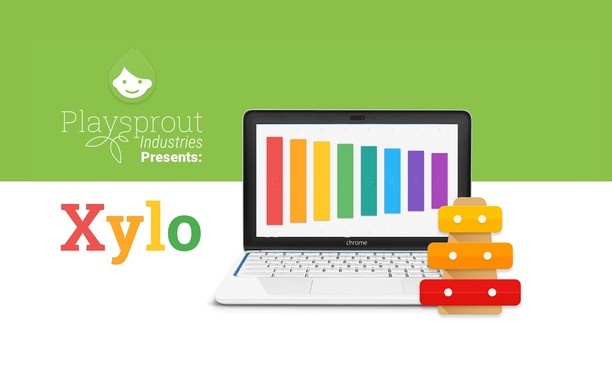
PlayXylo is a simple and distraction-free musical app that plays sounds from recordings of a real xylophone. It’s designed to be fun and easy to use for kids and adults alike—perfect for an educational environment.
Launch the app and you’ll get the xylophone board quickly-no delays—so you can immediately start playing any tune you want.
The controls are what you would expect on a digital xylophone. Tap the keys with your fingers on touchscreen devices, press the corresponding numbers on a keyboard, or just click the colorful keys with your mouse. You can even slide over the board to hit consecutive keys, or use two or more controls at the same time.
The distinguishing feature of a xylophone’s sound is the sense of precision that comes from its lack of resonance. PlayXylo uses sound recordings from a real xylophone to give you that same feeling.
There are many ways to make the xylophone fit your use case. By default, a beautiful set of rainbow colors are used. In addition, there’s a Boomwhacker version for those using this colorset. A special Solfege mode is available, which replaces the pitch names with Solfege (Do, Re, Mi) to teach kids and students effective reading and singing of music. The chromatic scale is also available, giving you access to all the flats and sharps.
Don’t know how or what to play? There is a community section that contains videos of how other PlayXylo users interact with the app for learning, teaching, or just playing. You can find it in the navigation menu.
Dark mode follows your system theme, which is perfect for playing lullabies at night. The layout and language of the app and xylophone board also adapts to that of your system.
No internet access? No problem! This app works even when you’re offline.
- This permission allows other installed extensions and web pages to communicate with this extension.
Screenshot
About the extension
- Downloads
- 11
- Category
- Music
- Version
- 3.2.20
- Size
- 263.3 KB
- Last update
- March 27, 2026
- License
- Copyright 2026 carlosjeurissen
- Privacy policy
- Service website
- https://apps.jeurissen.co/playxylo
- Support page
- https://apps.jeurissen.co/playxylo/support
Related
-
Online Radio
All your favorite radio stations in one extension.
Rating: Total number of ratings: 118
-
Smooth Jazz South Florida
Listen Smooth Jazz South Florida Radio with Opera Browser.
Rating: Total number of ratings: 1
-
Picture-in-Picture - Floating Video Player
The extension lets users watch videos in Picture-in-Picture (PiP) mode.
Rating: Total number of ratings: 117
-
Now Playing - OBS
Client for OBS now playing widget
Rating: Total number of ratings: 1
-
Send to MPlayer media player
Send media stream links from current tab to MPlayer media player
Rating: Total number of ratings: 3