


 Opera-Browser erforderlich.
- Diese Erweiterung kann auf Ihre Daten auf einigen Webseiten zugreifen.
Bildschirmfotos
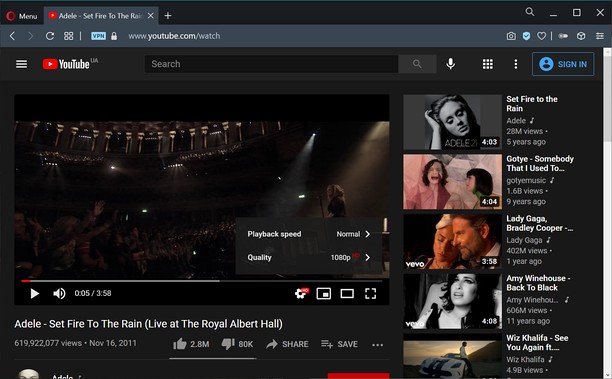
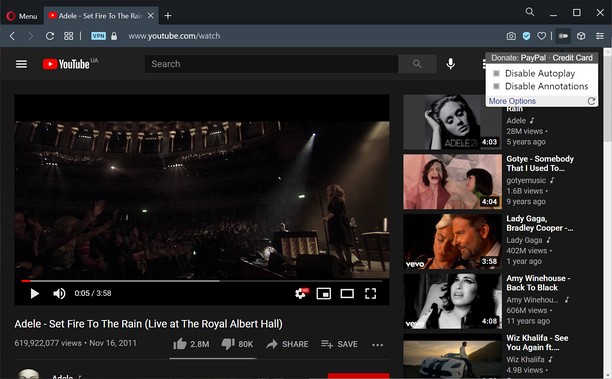
Über die Erweiterung
- Downloads
- 2.187
- Kategorie
- Produktivität
- Version
- 1.0.8
- Größe
- 11,3 KB
- Letztes Update
- 20. Januar 2023
- Lizenz
- Datenschutzerklärung
- Website des Diensts
- https://unhook.app/
Ähnliche
-

Atavi bookmarks
Synchronisation von Lesezeichen mit alle Geräten und Browsers
-

Evernote Web Clipper
Verwende die Evernote-Erweiterung, um Dinge, die du online entdeckst, in deinem Evernote-Konto zu speichern.
-

Blogger » Free Custom Robots.txt Generator
Create a SEO Friendly custom robots.txt file for Blogger Free and optimize your blog for search engines in 2024
-

Image Size Converter
Image Size Converter is a powerful yet user-friendly Opera extension that allows you to quickly resize images right in your browser. With an elegant interface and intuitive controls, you can modify image dimensions, choose output formats, and adjust quality settings with just a few clicks - all without relying on external websites or applications.
-

Snip Shot
Snip Shot is a user-friendly browser extension that simplifies the process of taking screenshots. With its one-click operation and intuitive user interface, users can quickly and easily capture any part of their screen and save it as an image. Snip Shot's minimalist design makes it a seamless addition to any browser, while its efficiency and usability make it the perfect tool for anyone who needs to take screenshots regularly.