


 Opera-Browser erforderlich.
- Diese Erweiterung kann auf Ihre Daten auf allen Webseiten zugreifen.
- Diese Erweiterung kann Einstellungen verändern, die festlegen, ob Websites Funktionen wie Cookies, JavaScript und Plug-ins verwenden können.
- Diese Erweiterung kann auf Ihre Tabs und Browseraktivitäten zugreifen.
Bildschirmfotos
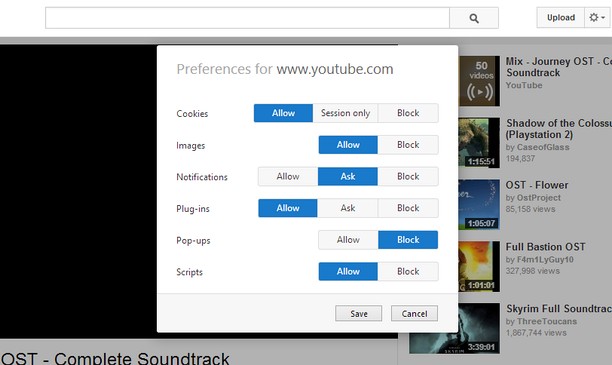
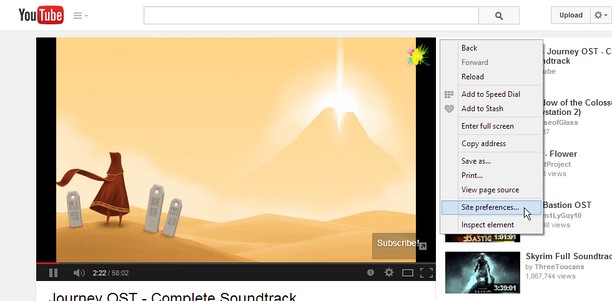
Über die Erweiterung
- Downloads
- 14.452
- Kategorie
- Produktivität
- Version
- 1.2
- Größe
- 45,8 KB
- Letztes Update
- 18. August 2014
- Lizenz
- Supportseite
- https://github.com/ChaosinaCan/SitePreferences/issues
- Quellcode-Seite
- https://github.com/ChaosinaCan/SitePreferences
Ähnliche
-

Sidenotes
Simple notes for your Opera sidebar
-

Boomerang for Gmail™
Allows you to schedule messages to be sent or returned at a later date.
-

RightTasks for Gmail™
Improved task management in Gmail™
-

Evernote Web Clipper
Verwende die Evernote-Erweiterung, um Dinge, die du online entdeckst, in deinem Evernote-Konto zu speichern.
-

URL Shortener Goo-Gl.ink
URL-Verkürzung