Je vyžadován prohlížeč Opera.
Video Converter add-on helps you easily convert any video format to another (for example, .WEBM to .MP4).
It uses FFmpeg library which is compiled from C/C++ language to JavaScript with Emscripten compiler. Emscripten is a source-to-source compiler that can compile native C/C++ codes to JavaScript language. Please read this Wikipedia page to get more info about Emscripten compiler.
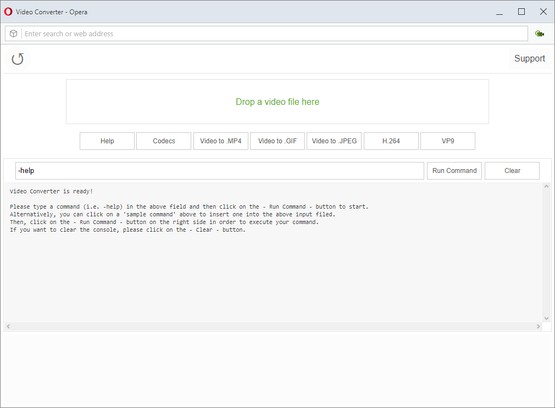
In order to work with this add-on, just open the app UI and drag a video file to the designated area in the app. Then, type your FFmpeg command in the input filed and press on the - Run Command - button.
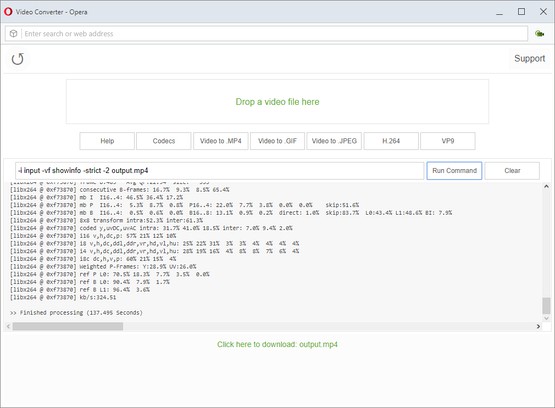
Once the conversion is done, the link to download the video file will be available at the bottom of the UI. Please note that, conversion may take some time depending on the video size and also type of the conversion that you choose. There are some sample commands available in the app UI (as buttons) which you can use to start working with this add-on.
Note: since this add-on runs FFmpeg in the browser, it runs slower than the native FFmpeg applications/library. However, using the add-on is very easy. Simply add it to your browser and it starts to work without any additional plugins. It is only suitable for simple conversions and has limited number of codecs.
Note: if you have a feature request, or found a bug to report, please fill the bug report form in the add-on's homepage (http://mybrowseraddon.com/video-converter.html).
Snímky obrazovky
O rozšíření
- Stahování
- 36 635
- Kategorie
- Produktivita
- Verze
- 0.1.2
- Velikost
- 6,6 MB
- Last update
- 9. září 2019
- Licence
- Copyright 2019 loorisvalf
- Stránka podpory
- http://mybrowseraddon.com/video-converter.html
Related
-
SQL Reader
Easily browse, edit and manage SQLite database inside your browser!
Hodnocení: Celkový počet hodnocení: 3
-
Evernote Web Clipper
Pomocí rozšíření Evernote si uložte zajímavosti z webu do svého účtu Evernote.
Hodnocení: Celkový počet hodnocení: 555
-
Atavi bookmarks
Vizuální záložky, synchronizace záložek mezi různými prohlížeči a naprostá bezpečnost vašich záložek
Hodnocení: Celkový počet hodnocení: 160
-
Turn Off YouTube Autoplay Next & Annotations
Turn off YouTube autoplay next video and disable YouTube annotations on videos.
Hodnocení: Celkový počet hodnocení: 7
-
Hide Activity Details (+ Tweaks) for Trello
Hides activity details on Trello cards. Can now also be set to hide completed checklist items
Hodnocení: Celkový počet hodnocení: 3