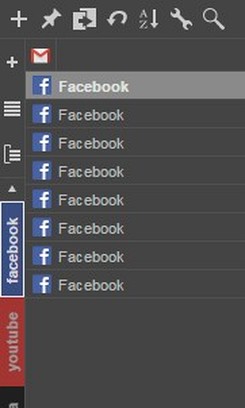
This is extended version of my Simple Vertical Tabs extension.
You can categorize your tabs in groups, suspend groups, multiple select tabs with shift and control keys, drag and drop them at once.
Tips and tricks:
- If you loose groups, don't worry, go to options and load last auto backup, but you have to hurry, because new backup will overwrite previous groups in 10 minutes!
- To create a new group press little + icon, or drag some tabs directly to it and dragged tabs will be moved to newly created group.
- When you drag tabs to + icon, the newly created group will try to get color from the favicon of the first dragged tab.
- To add tabs to group, drag and drop to group on the left.
- To remove tabs from group, drop tabs between + icon and first group.
- If there is empty space on tab list or pin list, double click to create a new tab.
- Use Ctrl key and click on tabs to toggle selection.
- Use Shift key and click to select tabs from the active to the clicked tab.
- Hoover over tabs or pinned tabs, and press Ctrl+a to select all tabs.
- Hoover over tabs or pinned tabs, and press Ctrl+i to invert selection.
- Remove group does not close the tabs, it moves them to uncategorized group, there is a separate option in menu for that.
- To remove group with its tabs, press shift and click on the group, but you must be sure that sidebar is active, just click on anything in sidebar before doing this.
- To rename group, you can double click on groups labels, or select "Rename" from group menu.
- To scroll to your search result click on arrows beside the searchbox. It will scroll to the first found tab.
- To de-select tabs click on empty space below tabs or beside pinned tabs, or eventually select all tabs with ctrl+a and invert selection with ctrl+i.


 需要 Opera 瀏覽器。