


 需要 Opera 瀏覽器。
- 這個延伸套件能存取你複製/貼上的資料。
- This extension can write data into the clipboard.
- 這個延伸套件能存取你的頁籤與瀏覽活動。
螢幕截圖

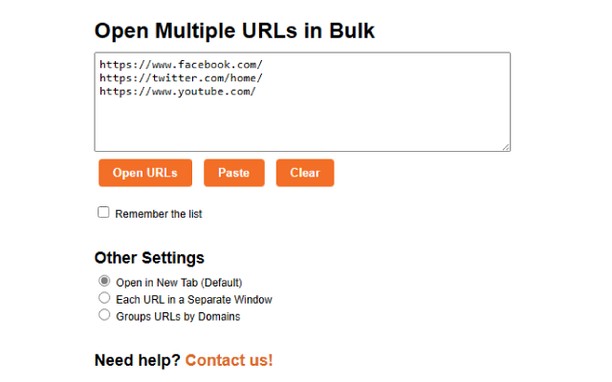
關於延伸套件
- 下載次數
- 1636
- 分類
- 生產應用
- 版本
- 1.5
- 大小
- 4.9 KB
- Last update
- Aug. 18, 2023
- 使用者授權條款
- Copyright 2023 Meetanshi
- 提供服務的網站
- https://meetanshi.com/
- 支援網頁
- https://meetanshi.com/contacts?utm_source=opera_addon&utm_medium=addon&utm_campaign=bulkurlopener
Related
-

Length Conversion
Convert from meters to feet, centimeters to inches, inches to feets. Range of common length conversions are available
-

Evernote Web Clipper
使用 Evernote 擴充套件,將您在網路上的所見所聞儲存至 Evernote 帳戶。
-

Boomerang for Gmail™
Allows you to schedule messages to be sent or returned at a later date.
-

Free Online Image Resizer
Free Online Image Resizer is a lightweight browser extension that allows you to quickly resize images without leaving your browser. With an elegant, user-friendly interface, you can adjust image dimensions with just a few clicks and download the resized images instantly. Perfect for social media posts, web graphics, or any situation where you need to quickly adjust image sizes.
-

Copy As Plain Text
Easily copy the selected text without formatting to the clipboard via the right-click menu.