Kailangan ang browser ng Opera.
This is a pocket extension to list and manage your saved links.
It also allows you to:
- Save current page to Pocket using context menu
- Save link to Pocket using context menu
- Save current page to Pocket using keyboard shortcut (default Alt+P)
- Edit / Delete / Mark as read / Favorite
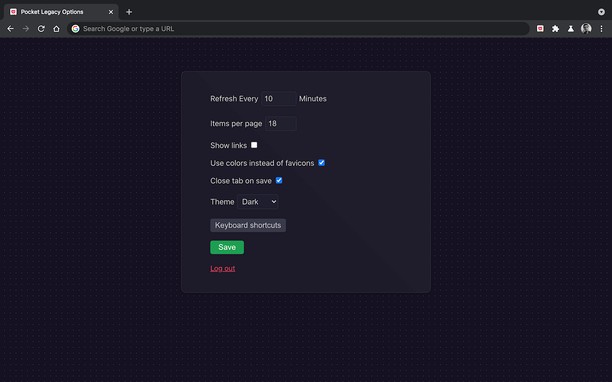
- Has dark mode :)
- And more to come
How to use:
-> Open the extension from the Icon
-> Click Login
-> Authorize the extension
-> Go back to the extension and voilà
PS: you have to open the popup at least once after login in order to be able to save links using context menu or keyboard shortcuts
- Ma-a-access ng extension na ito ang iyong data sa ilang website.
Mga screenshot
Tungkol sa extension
- Mga download
- 4292
- Kategorya
- Pagiging produktibo
- Bersyon
- 1.3
- Laki
- 362.4 KB
- Last update
- Aug. 11, 2021
- Lisensya
- Copyright 2021 a4c5d637-b6f2-43ab-b60d-5b88222cef40
Related
-
Atavi bookmarks
Visual bookmarks, bookmarks sync across various browsers and absolute safety for your bookmarks
Rating: Kabuuang bilang ng mga rating: 170
-
Evernote Web Clipper
Use the Evernote extension to save things you see on the web into your Evernote account.
Rating: Kabuuang bilang ng mga rating: 610
-
CloseTabsByDomain
Close all tabs by domain
Rating: Kabuuang bilang ng mga rating: 5
-
Data Converter
Convert Kilobytes to Bytes and vice versa in one click
Rating: Kabuuang bilang ng mga rating: 1
-
Free Online Image Resizer
Free Online Image Resizer is a lightweight browser extension that allows you to quickly resize images without leaving your browser. With an elegant, user-friendly interface, you can adjust image dimensions with just a few clicks and download the resized images instantly. Perfect for social media posts, web graphics, or any situation where you need to quickly adjust image sizes.
Rating: Kabuuang bilang ng mga rating: 2