


 Kailangan ang browser ng Opera.
- Ma-a-access ng extension na ito ang iyong data sa lahat ng website.
- Ma-a-access ng extension na ito ang aktibidad ng iyong mga tab at pagba-browse.
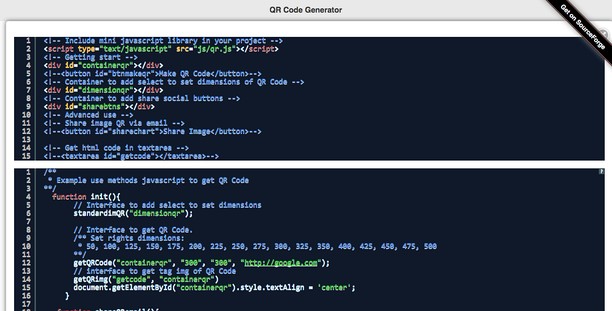
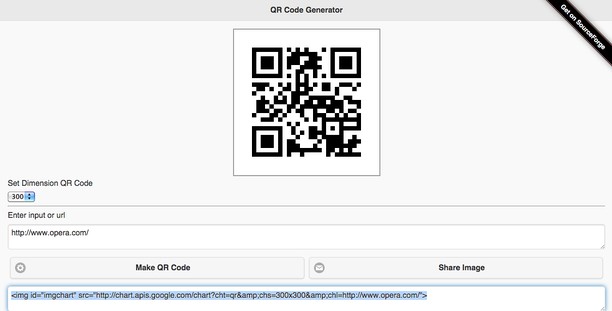
Mga screenshot

Tungkol sa extension
- Mga download
- 19371
- Kategorya
- Developer Tools
- Bersyon
- 1.6.1
- Laki
- 203.5 KB
- Last update
- May 19, 2025
- Lisensya
- Website ng serbisyo
- https://www.mediamaster.eu/contatti/
- Pahina ng suporta
- https://ulmdevice.altervista.org/qrcode-js/
Related
-

CSS & JS Injector
Easily customize your browsing experience CSS & JS Injector is a tool for developers, designers, and power users. Apply custom CSS styles and JavaScript to specific websites effortlessly. Boost productivity and customize the look, feel, and functionality of websites without altering its source code.
-

Web Widgetizer
Web Widgetizer is a extension offering a range of features to enhance browsing. It allows users to create separate Opera windows for specific websites, manage favorite links, customize window dimensions, toggle auto-start, and open links in popup tabs via button click or shortcut (Ctrl + Shift + A). This versatile tool optimizes browsing convenience and efficiency.
-

GitHub Extension
The GitHub Browser Extension allows GitHub users to quickly find and open all of their assigned issues and pull requests from a single location. It can be handy for developers and project managers to view their tasks.
-

Web Developer
Adds a toolbar button with various web developer tools. The official port of the Web Developer extension for Firefox.
-

Stethoscope
Check the health of a github repo with one easy step.