


 Kailangan ang browser ng Opera.
- Ma-a-access ng extension na ito ang iyong data na kinopya at na-paste mo.
- This extension can write data into the clipboard.
- Ma-a-access ng extension na ito ang aktibidad ng iyong mga tab at pagba-browse.
Mga screenshot
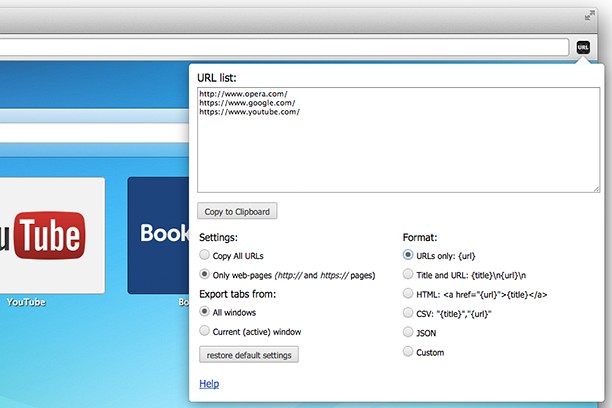

Tungkol sa extension
- Mga download
- 49664
- Kategorya
- Pagiging produktibo
- Bersyon
- 1.0.0.0
- Laki
- 40.1 KB
- Last update
- April 7, 2015
- Lisensya
- Copyright 2015 melanto
- Pahina ng suporta
- http://melanto.com/apps/copy-urls/
Related
-

Sidebar Sticky Note
Free HTML5 Sidebar Sticky Notes
-

Evernote Web Clipper
Use the Evernote extension to save things you see on the web into your Evernote account.
-

Email Notifier
A lite notifier that works with Gmail™, Yahoo, Live, iCloud, Mail.com, and GMX
-

YouTube™ Flash-HTML5
Play YouTube Videos in Flash or HTML5 Player
-

Boomerang for Gmail™
Allows you to schedule messages to be sent or returned at a later date.