


 จำเป็นต้องมี เบราเซอร์ Opera
- ส่วนขยายนี้สามารถเข้าถึงข้อมูลของคุณในเว็บไซต์ทั้งหมด
- ส่วนขยายนี้สามารถเข้าถึงแท็บและกิจกรรมการท่องเว็บของคุณ
สกรีนช็อต
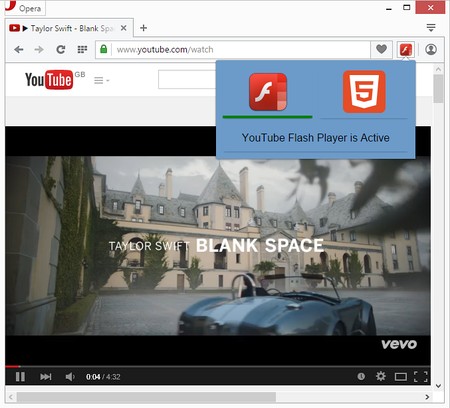
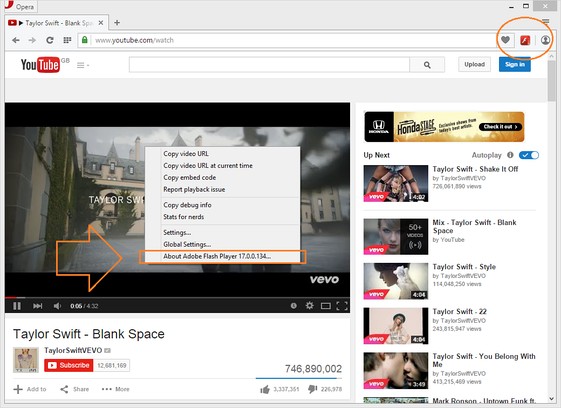

เกี่ยวกับส่วนขยาย
- ดาวน์โหลด
- 420,048
- หมวดหมู่
- ประสิทธิภาพ
- เวอร์ชัน
- 0.1.4
- ขนาด
- 81.8 KB
- Last update
- 20 พฤศจิกายน 2017
- ใบอนุญาต
- Copyright 2017 elennorphen
- หน้าการสนับสนุน
- http://mybrowseraddon.com/youtube-flash-html.html
Related
-

Akari URL Shortener
Akari will reduce the presence of your URL. Uses waa.ai API to generate short URLs.
-

Atavi bookmarks
Visual bookmarks, bookmarks sync across various browsers and absolute safety for your bookmarks
-

PageExpand
All Image Download. Image Zoom. Expand Thumbnail and Audio and Video. Expand the short URL. Override Referer. Extend BBS. etc...
-

Evernote Web Clipper
ใช้ส่วนขยาย Evernote เพื่อบันทึกสิ่งต่างๆ ที่คุณเห็นบนเว็บลงในบัญชี Evernote ของคุณ
-

Badge counter for Gmail
Get badge counter for a custom user search query. Click on the toolbar button opens the newest email.