จำเป็นต้องมี เบราเซอร์ Opera
Video Converter add-on helps you easily convert any video format to another (for example, .WEBM to .MP4).
It uses FFmpeg library which is compiled from C/C++ language to JavaScript with Emscripten compiler. Emscripten is a source-to-source compiler that can compile native C/C++ codes to JavaScript language. Please read this Wikipedia page to get more info about Emscripten compiler.
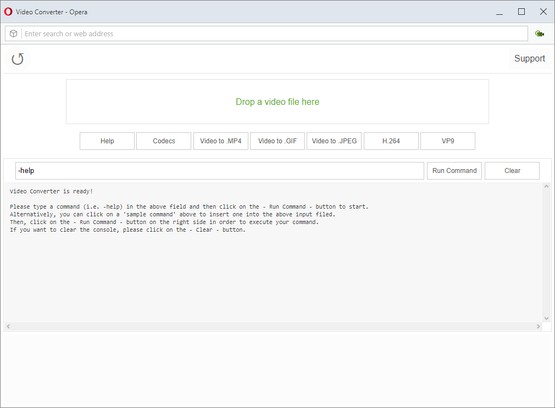
In order to work with this add-on, just open the app UI and drag a video file to the designated area in the app. Then, type your FFmpeg command in the input filed and press on the - Run Command - button.
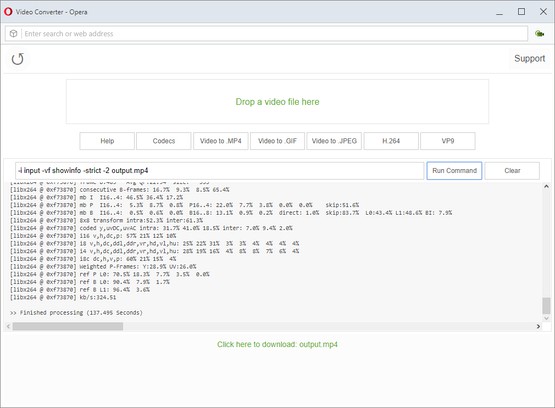
Once the conversion is done, the link to download the video file will be available at the bottom of the UI. Please note that, conversion may take some time depending on the video size and also type of the conversion that you choose. There are some sample commands available in the app UI (as buttons) which you can use to start working with this add-on.
Note: since this add-on runs FFmpeg in the browser, it runs slower than the native FFmpeg applications/library. However, using the add-on is very easy. Simply add it to your browser and it starts to work without any additional plugins. It is only suitable for simple conversions and has limited number of codecs.
Note: if you have a feature request, or found a bug to report, please fill the bug report form in the add-on's homepage (http://mybrowseraddon.com/video-converter.html).
สกรีนช็อต
เกี่ยวกับส่วนขยาย
- ดาวน์โหลด
- 36,930
- หมวดหมู่
- ประสิทธิภาพ
- เวอร์ชัน
- 0.1.2
- ขนาด
- 6.6 MB
- Last update
- 9 กันยายน 2019
- ใบอนุญาต
- Copyright 2019 loorisvalf
- หน้าการสนับสนุน
- http://mybrowseraddon.com/video-converter.html
Related
-
Boomerang for Gmail™
Allows you to schedule messages to be sent or returned at a later date.
คะแนน: จำนวนคะแนนรวมทั้งหมด: 46
-
Open in PDF Viewer
Easily open desired links in a PDF viewer.
คะแนน: จำนวนคะแนนรวมทั้งหมด: 8
-
Google Sheets Tabs on Top
Move Google Sheets tabs on top
คะแนน: จำนวนคะแนนรวมทั้งหมด: 8
-
ScrollAnywhere
Drag scrollbar with your middle mouse button anywhere on the page. Supports also "grab and drag" style and Momentum.
คะแนน: จำนวนคะแนนรวมทั้งหมด: 20
-
Evernote Web Clipper
ใช้ส่วนขยาย Evernote เพื่อบันทึกสิ่งต่างๆ ที่คุณเห็นบนเว็บลงในบัญชี Evernote ของคุณ
คะแนน: จำนวนคะแนนรวมทั้งหมด: 549