


 จำเป็นต้องมี เบราเซอร์ Opera
- ส่วนขยายนี้สามารถเข้าถึงข้อมูลของคุณในเว็บไซต์ทั้งหมด
- ส่วนขยายนี้สามารถเข้าถึงข้อมูลของคุณในบางเว็บไซต์
- ส่วนขยายนี้สามารถเข้าถึงแท็บและกิจกรรมการท่องเว็บของคุณ
สกรีนช็อต

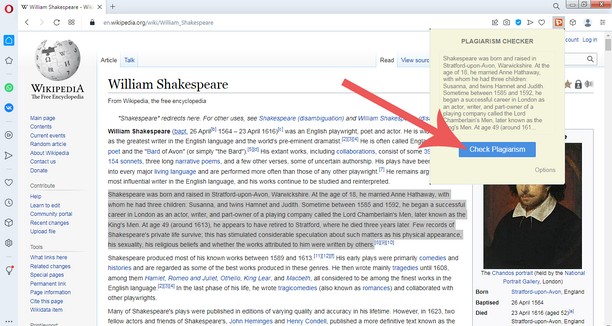

เกี่ยวกับส่วนขยาย
- ดาวน์โหลด
- 694
- หมวดหมู่
- ค้นหา
- เวอร์ชัน
- 1.0
- ขนาด
- 37.1 KB
- Last update
- 3 ธันวาคม 2022
- ใบอนุญาต
- Copyright 2022 plagiarisma
- เว็บไซต์การบริการ
- http://plagiarisma.net
Related
-

TinEye Reverse Image Search
This is the official TinEye Opera extension. Find out where an image came from, how it's used, or find higher resolution versions.
-

Аэропорты мира ✈
Schedule airport, getting to the airport and its location, panorama
-

Flafi - fast search in the scam database
Flafi (ย่อมาจาก FLAsc FInder) จะตรวจสอบไซต์ที่เยี่ยมชมโดยอัตโนมัติว่ามีอยู่ในฐานข้อมูลหลอกลวง (บนไซต์ flasc.info)
-

Search all Tabs
A powerful offline indexing and searching tool to find matching terms in tab's title and content
-

TextCompanion
Browser addon to work on text and link selections. Quickly lookup, translate, search, open links, and text links in background using a optional customizable overlay, or by a configurable context menu.