


 จำเป็นต้องมี เบราเซอร์ Opera
- This extension can write data into the clipboard.
สกรีนช็อต

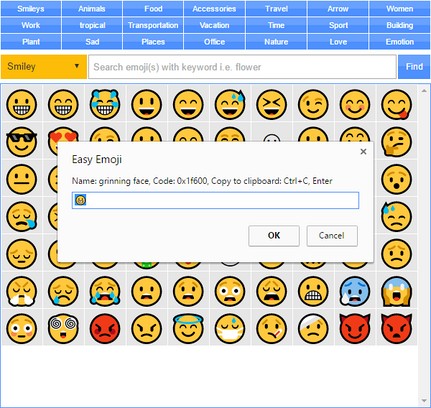
เกี่ยวกับส่วนขยาย
- ดาวน์โหลด
- 16,503
- หมวดหมู่
- เครือข่ายสังคม
- เวอร์ชัน
- 0.1.3
- ขนาด
- 52.9 KB
- Last update
- 2 สิงหาคม 2019
- ใบอนุญาต
- Copyright 2019 moristong
- หน้าการสนับสนุน
- http://mybrowseraddon.com/easy-emoji.html
Related
-

Twitter Lite Sidebar (Unofficial)
Access Twitter Lite through Opera Sidebar. This is an UNOFFICIAL extensions.
-

PeerName: Surf Blockchain-Based Domains
Enables the resolving of Dot-BIT domains by Namecoin; .emc, .coin, .lib and .bazar domains by EmerCoin. Redirecting of NXT aliases.
-

Invisible Text Generator
Generate hidden letters and blank characters for WhatsApp, Discord, gaming profiles, and steganography.
-

Remark
Uncensored Comments, anywhere.
-

Twitter Anonymizer
One-click anonymizer of tweets before sharing a screenshot.