


 จำเป็นต้องมี เบราเซอร์ Opera
- ส่วนขยายนี้สามารถเข้าถึงข้อมูลที่คุณคัดลอกและวาง
- This extension can write data into the clipboard.
- ส่วนขยายนี้สามารถเข้าถึงแท็บและกิจกรรมการท่องเว็บของคุณ
สกรีนช็อต

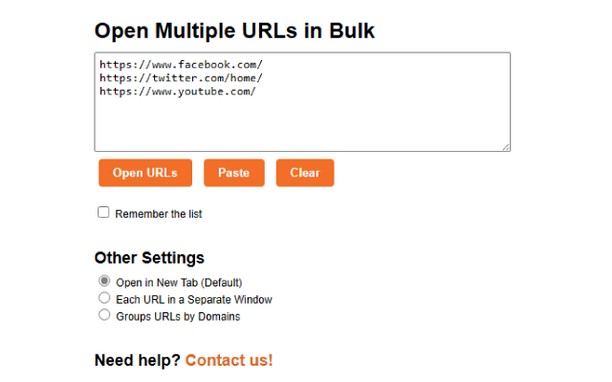
เกี่ยวกับส่วนขยาย
- ดาวน์โหลด
- 1,598
- หมวดหมู่
- ประสิทธิภาพ
- เวอร์ชัน
- 1.5
- ขนาด
- 4.9 KB
- Last update
- 18 สิงหาคม 2023
- ใบอนุญาต
- Copyright 2023 Meetanshi
- เว็บไซต์การบริการ
- https://meetanshi.com/
- หน้าการสนับสนุน
- https://meetanshi.com/contacts?utm_source=opera_addon&utm_medium=addon&utm_campaign=bulkurlopener
Related
-

Ad Blocker for Facebook™ App (Video & Images)
Blocks video and image ads from the facebook app news feed. And it actually works
-

Evernote Web Clipper
ใช้ส่วนขยาย Evernote เพื่อบันทึกสิ่งต่างๆ ที่คุณเห็นบนเว็บลงในบัญชี Evernote ของคุณ
-

Boomerang for Gmail™
Allows you to schedule messages to be sent or returned at a later date.
-

JavaScript Toggle On and Off
Toggle JavaScript engines (inline, data URL, remote, and external) on and off the easy way
-

Github Original Streak
Re-builds former current and longest streaks on Github profiles