Необходим браузер Opera.
Stop copying and pasting prompts. Managing your AI templates in scattered text files or Notion documents ruins your workflow. Hunting for placeholder brackets and manually dragging the same reference files into new chats is a waste of time.
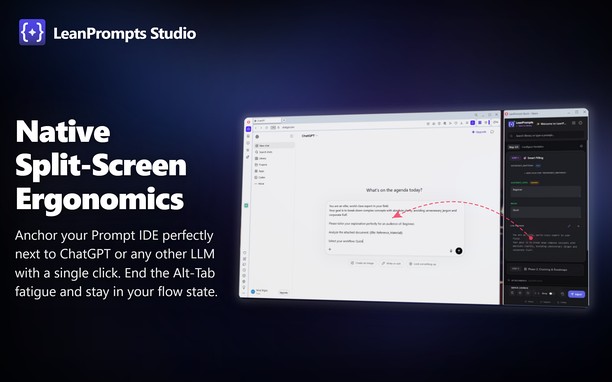
LeanPrompts Studio is a professional, local-first Prompt IDE that turns your AI interfaces into an execution engine. It separates prompt design from execution, letting you compile templates and inject them directly into ChatGPT, Claude, Gemini, DeepSeek, and others. The extension interface consists of a clean, dark-themed control center dashboard and a compact sidebar popup that docks beside your browser window.
How to use:
Simply open the LeanPrompts sidebar popup or use the global keyboard shortcut (Alt+Shift+Q) while visiting your favorite AI website. Select a prompt from your library, fill out any auto-generated variable fields, attach your files, and click "Inject" to instantly populate the AI input field and start the chat.
Key Features:
- Direct DOM Injection: Populates text fields and uploads files directly inside the active LLM tab, bypassing the system clipboard. Natively supports local offline Web-UIs like Ollama, LM Studio, and Jan.ai.
- Dynamic Templates: Define variables like {{Topic}} or dropdowns to auto-generate clean data-entry forms in your sidebar.
- Modular Snippets (@): Save personas or formatting rules as global snippets. Update them once, and they update in all templates.
- Prompt Chaining: Split complex tasks into sequential steps and inject them one-by-one to guide the AI and reduce hallucinations.
Privacy:
LeanPrompts requires no cloud accounts, no API keys, and stores all data entirely offline on your local machine.
Future Versions:
Planned updates for the optional Pro version include cross-device cloud synchronization and collaborative team workspaces, while the offline core remains entirely free.
- У этого расширения есть доступ к вашим данным на всех сайтах.
- У этого расширения есть доступ к вашим вкладкам и действиям в интернете.
- This extension can store an unlimited amount of client-side data.
Снимки
О расширении
- Загрузки
- 1
- Категория
- Продуктивная работа
- Версия
- 1.0.1
- Размер
- 589,0 КБ
- Обновлено
- 15 июня 2026 г.
- Лицензионное соглашение
- Copyright 2026 16598d44-cbdd-4746-91a5-e812ae6eac9b
Похожие
-
Quoetter
Random quote on each new tab.
Оценка: Всего оценок: 2
-
Capture Webpage Screenshot - FireShot
Делайте скриншоты, редактируйте их и сохраняйте в PDF/JPEG/GIF/PNG/BMP; печатайте, отправляйте в Clipboard, Photoshop или по e-mail
Оценка: Всего оценок: 338
-
Atavi bookmarks
Визуальные закладки, надежная сохранность и синхронизация закладок между браузерами
Оценка: Всего оценок: 175
-
Evernote Web Clipper
Используйте расширение Evernote, чтобы сохранять интересные материалы из Интернета прямо в свой аккаунт Evernote.
Оценка: Всего оценок: 630
-
Site to Popup
See your desired website (mobile view) in the toolbar popup
Оценка: Всего оценок: 4