


 Необходим браузер Opera.
- У этого расширения есть доступ к вашим данным на всех сайтах.
- У этого расширения есть доступ к вашим вкладкам и действиям в интернете.
Снимки
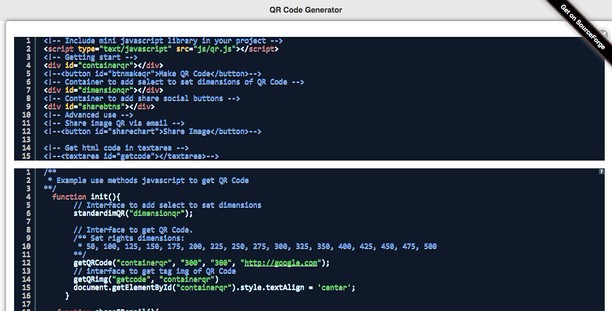

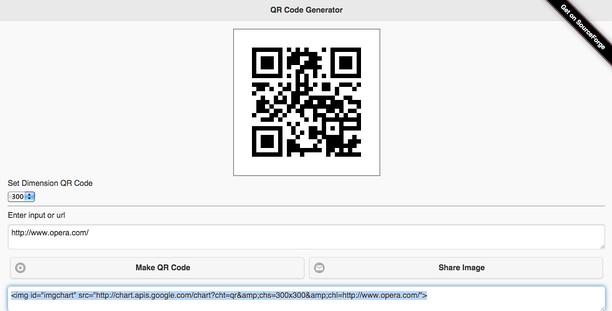
О расширении
- Загрузки
- 19 462
- Категория
- Инструменты разработчика
- Версия
- 1.6.1
- Размер
- 203,5 КБ
- Обновлено
- 19 мая 2025 г.
- Лицензионное соглашение
- Cайт службы
- https://www.mediamaster.eu/contatti/
- Страница поддержки
- https://ulmdevice.altervista.org/qrcode-js/
Похожие
-

Extension Auditor
Browser Extension Security & Privacy Analyzer
-

Rabbit URL Opener
Rabbit URL Opener (Rahul Digital) - Bulk URL's Opener Extension just lets you open multiple URLs at once. More about Rabbit URL Opener http://rahuldigital.org/url-opener/ http://rahuldigital.com/url-opener/
-

Web Developer
Adds a toolbar button with various web developer tools. The official port of the Web Developer extension for Firefox.
-

Web Widgetizer
Web Widgetizer is a extension offering a range of features to enhance browsing. It allows users to create separate Opera windows for specific websites, manage favorite links, customize window dimensions, toggle auto-start, and open links in popup tabs via button click or shortcut (Ctrl + Shift + A). This versatile tool optimizes browsing convenience and efficiency.
-

Edit the Page
Toggles the 'Design Mode' so that you can edit the contents of the page.