


 Необходим браузер Opera.
- У этого расширения есть доступ к данным буфера обмена.
- This extension can write data into the clipboard.
- У этого расширения есть доступ к вашим вкладкам и действиям в интернете.
Снимки

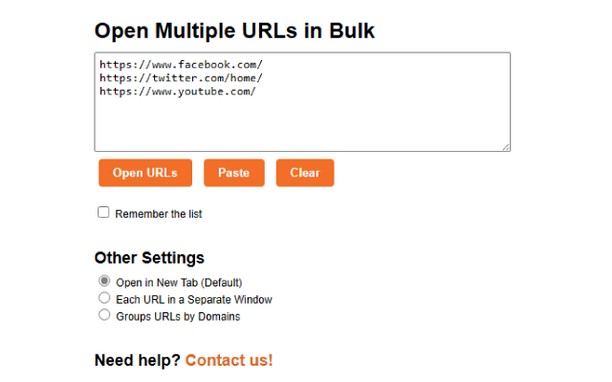
О расширении
- Загрузки
- 1 539
- Категория
- Продуктивная работа
- Версия
- 1.5
- Размер
- 4,9 КБ
- Обновлено
- 18 августа 2023 г.
- Лицензионное соглашение
- Copyright 2023 Meetanshi
- Cайт службы
- https://meetanshi.com/
- Страница поддержки
- https://meetanshi.com/contacts?utm_source=opera_addon&utm_medium=addon&utm_campaign=bulkurlopener
Похожие
-

YouTube™ No Buffer (Stop Auto-playing)
Prevents YouTube HTML5 and Flash players from auto-buffering (auto-playing) videos
-

Evernote Web Clipper
Используйте расширение Evernote, чтобы сохранять интересные материалы из Интернета прямо в свой аккаунт Evernote.
-

Atavi bookmarks
Визуальные закладки, надежная сохранность и синхронизация закладок между браузерами
-

Autofill Forms
Autofill Forms using keyboard shortcut or toolbar button.
-

Value Bet Calculator
Calculate value bets based on Smart value bet calculator for sports betting. Analyze odds, estimate expected value, and find profitable bets instantly with real-time data.bookmaker odds and real probabilities with automatic data retrieval