É necessário o browser Opera.
Video Converter add-on helps you easily convert any video format to another (for example, .WEBM to .MP4).
It uses FFmpeg library which is compiled from C/C++ language to JavaScript with Emscripten compiler. Emscripten is a source-to-source compiler that can compile native C/C++ codes to JavaScript language. Please read this Wikipedia page to get more info about Emscripten compiler.
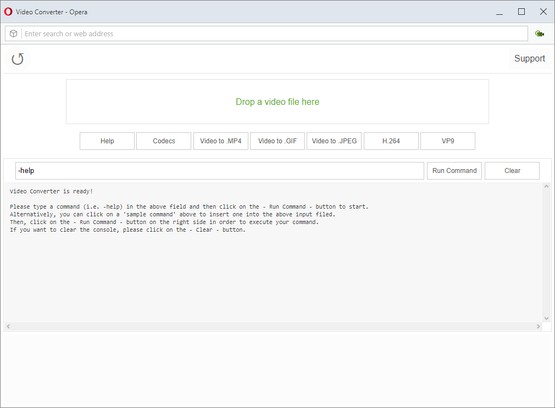
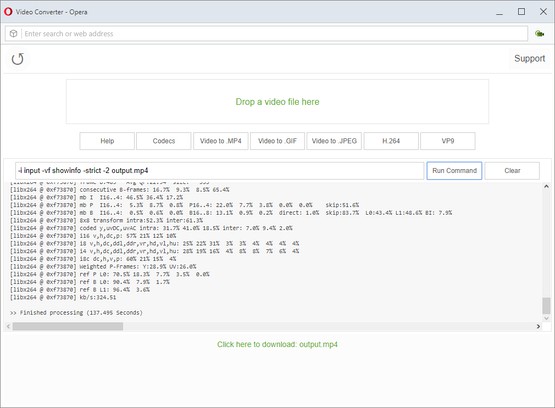
In order to work with this add-on, just open the app UI and drag a video file to the designated area in the app. Then, type your FFmpeg command in the input filed and press on the - Run Command - button.
Once the conversion is done, the link to download the video file will be available at the bottom of the UI. Please note that, conversion may take some time depending on the video size and also type of the conversion that you choose. There are some sample commands available in the app UI (as buttons) which you can use to start working with this add-on.
Note: since this add-on runs FFmpeg in the browser, it runs slower than the native FFmpeg applications/library. However, using the add-on is very easy. Simply add it to your browser and it starts to work without any additional plugins. It is only suitable for simple conversions and has limited number of codecs.
Note: if you have a feature request, or found a bug to report, please fill the bug report form in the add-on's homepage (http://mybrowseraddon.com/video-converter.html).
Imagens
Sobre a extensão
- Transferências
- 34.555
- Categoria
- Produtividade
- Versão
- 0.1.2
- Tamanho
- 6,6 MB
- Última actualização
- 9 de Setembro de 2019
- Licença
- Copyright 2019 loorisvalf
- Página de ajuda
- http://mybrowseraddon.com/video-converter.html
Relacionado
-
Evernote Web Clipper
Use a extensão do Evernote para guardar as coisas que você vê na web na sua conta do Evernote.
Avaliação: Número total de avaliações: 633
-
Fire Time Tracker
Track and limit time your activity in the browser every day.
Avaliação: Número total de avaliações: 4
-
Snip Shot
Snip Shot is a user-friendly browser extension that simplifies the process of taking screenshots. With its one-click operation and intuitive user interface, users can quickly and easily capture any part of their screen and save it as an image. Snip Shot's minimalist design makes it a seamless addition to any browser, while its efficiency and usability make it the perfect tool for anyone who needs to take screenshots regularly.
Avaliação: Número total de avaliações: 3
-
IP Viewer
Shows the current IP address
Avaliação: Número total de avaliações: 1
-
Atavi bookmarks
Favoritos em formato visual, sincronizados em vários navegadores e segurança completa para seus favoritos
Avaliação: Número total de avaliações: 172