É necessário o browser Opera.
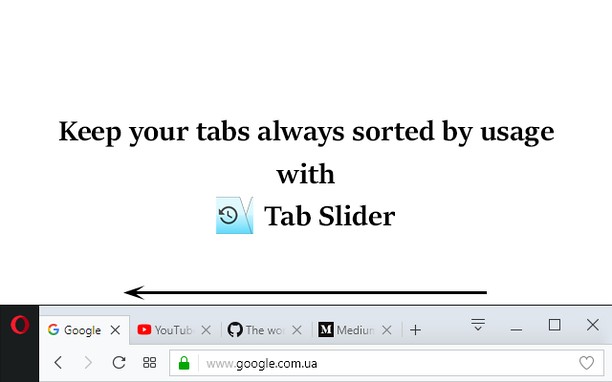
This extension keeps browser tabs sorted in most recently used order (MRU), from left to right, just like a list of apps is organized on desktop OSes (while holding Alt+Tab). Tab Slider brings this behavior to Opera for your convenience. Try it!
For this extension to function naturally, disable the "Cycle tabs in most recently used order" Opera setting.
How it works:
+ If you stay on tab more than 1 second (default), it will "slide" to the leftmost position;
+ In this way, most recently used tabs always stay left-to-right ordered;
+ Because of the order, naturally, when switching tabs with Ctrl+Tab, the browser will switch to the next most recently used tab;
+ Pinned tabs will slide to the opposite side, from left to right. This behavior is intended, enabling you to conveniently switch between most recently used pinned tabs and most recently used normal tabs with keyboard shortcuts (Ctrl+Shift+Tab switches to most recently used pinned tab, and Ctrl+Tab switches back to most recently used normal tab).
+ You can customize reordering delay in extension's settings;
+ New active tabs appear left immediately.
Once you understand this concept, you will find such reordering of tabs absolutely natural and logical.
- Esta extensão pode aceder aos seus separadores e à sua actividade de navegação.
Imagens
Sobre a extensão
- Transferências
- 5.884
- Categoria
- Produtividade
- Versão
- 1.7
- Tamanho
- 12,8 KB
- Última actualização
- 3 de Janeiro de 2018
- Licença
- Política de privacidade
- Página de ajuda
- https://github.com/ZitRos/tab-slider/issues
- Página do código fonte
- https://github.com/ZitRos/tab-slider
Relacionado
-
BrowserBack
Allows ⌫ and ⌦ to navigate the current page.
Avaliação: Número total de avaliações: 3
-
Evernote Web Clipper
Use a extensão do Evernote para guardar as coisas que você vê na web na sua conta do Evernote.
Avaliação: Número total de avaliações: 626
-
Image Size Converter
Image Size Converter is a powerful yet user-friendly Opera extension that allows you to quickly resize images right in your browser. With an elegant interface and intuitive controls, you can modify image dimensions, choose output formats, and adjust quality settings with just a few clicks - all without relying on external websites or applications.
Avaliação: Número total de avaliações: 1
-
Atavi bookmarks
Favoritos em formato visual, sincronizados em vários navegadores e segurança completa para seus favoritos
Avaliação: Número total de avaliações: 173
-
put.io
Adds an option to right-click menu that downloads the link with put.io.
Avaliação: Número total de avaliações: 1