É necessário o browser Opera.
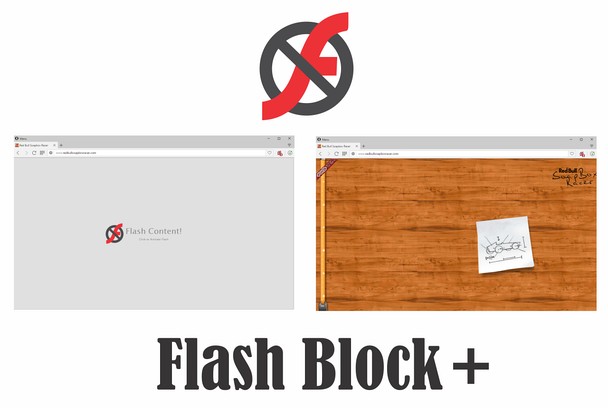
NoFlash (also named, Flash Block +) controls all Adobe Flash contents (including ads, games, video and music players) in webpages. As you browse, a placeholder frame(s) stating 'Flash Content' appears instead of the actual Flash. Clicking on the frame loads the original content. Moreover, you can white-list any website from toolbar-popup to disable the extension.
Important Features:
1. Allows you to block flash contents (including banners, games, video and music players) in all webpages.
2. Easily switch the extension On or Off from toolbar popup.
3. Add or remove websites to the white-list from toolbar popup.
4. An empty frame appears in place of the actual flash, clicking on the frame will load the flash.
Note: in order to report Bugs, please visit Addon's Homepage (http://mybrowseraddon.com/noflash.html) and fill the bug report form.
- Esta extensão pode aceder aos seus dados em todos os sítios.
- Esta extensão pode aceder aos seus separadores e à sua actividade de navegação.
Imagens
Sobre a extensão
- Transferências
- 220.313
- Categoria
- Privacidade e Segurança
- Versão
- 0.1.9
- Tamanho
- 104,9 KB
- Última actualização
- 25 de Outubro de 2018
- Licença
- Copyright 2018 dr34polw
- Página de ajuda
- http://mybrowseraddon.com/noflash.html
Relacionado
-
uBlock Origin
Finalmente, um bloqueador eficiente. Leve para a CPU e a memória.
Avaliação: Número total de avaliações: 5873
-
Filter request headers
Block certain values (cookies, etc.) from http request headers.
Avaliação: Número total de avaliações: 6
-
Font Fingerprint Defender
Defending against Font fingerprinting by reporting a fake value.
Avaliação: Número total de avaliações: 2
-
LastPass
O LastPass é um gerenciador de senhas premiado para gestão segura de credenciais em qualquer dispositivo.
Avaliação: Número total de avaliações: 313
-
Whoer VPN
Whoer VPN for Opera - most reliable way to hide your identity while surfing through the internet.
Avaliação: Número total de avaliações: 393