


 Penyemak imbas Opera diperlukan.
- Sambungan ini dapat mengakses aktiviti tab dan semakan imbas anda.
Petikan skrin

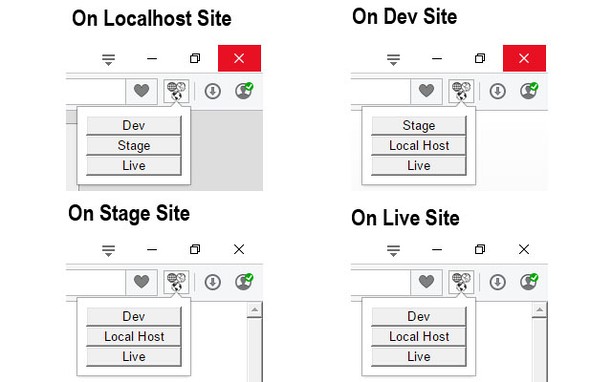
Mengenai sambungan
- Muat turun
- 3,003
- Kategori
- Developer Tools
- Versi
- 1.0.6
- Saiz
- 47.6 KB
- Last update
- 9 Sep 2015
- Lesen
- Copyright 2015 fractorr
Related
-

Quick Schema - JSON-LD Generator
Generate and copy LocalBusiness schema markup with one click. A free tool by Ideal Media Pro.
-

Browser Update Watchdog
Notifies you, whenever your browser has been automatically updated.
-

Web Widgetizer
Web Widgetizer is a extension offering a range of features to enhance browsing. It allows users to create separate Opera windows for specific websites, manage favorite links, customize window dimensions, toggle auto-start, and open links in popup tabs via button click or shortcut (Ctrl + Shift + A). This versatile tool optimizes browsing convenience and efficiency.
-

Web Developer
Adds a toolbar button with various web developer tools. The official port of the Web Developer extension for Firefox.
-

Sheets2JSON - Convert Google Sheets
Convert public Google Sheets into clean JSON or CSV. Sheet2JSON is a lightweight extractor that reads Google Sheets and outputs structured data formats that are ready to use in websites, apps, and scripts.