


 Penyemak imbas Opera diperlukan.
- Sambungan ini dapat mengakses data anda di semua laman web.
- Sambungan ini dapat mengakses data anda di beberapa laman web.
- Sambungan ini dapat mengakses aktiviti tab dan semakan imbas anda.
Petikan skrin
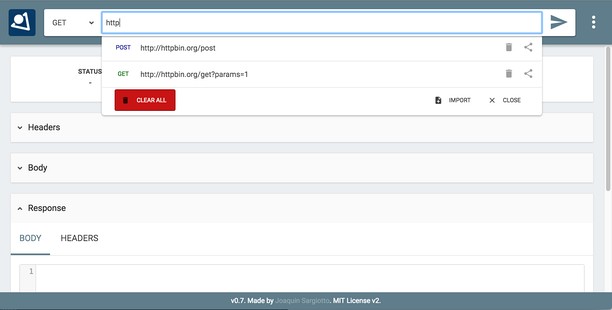


Mengenai sambungan
- Muat turun
- 63,015
- Kategori
- Developer Tools
- Versi
- 0.7.1
- Saiz
- 466.1 KB
- Last update
- 18 Jul 2022
- Lesen
- Halaman sokongan
- https://github.com/jsargiot/restman
- Halaman kod sumber
- https://github.com/jsargiot/restman
Related
-

Web Developer
Adds a toolbar button with various web developer tools. The official port of the Web Developer extension for Firefox.
-

Shuffle Extension Toolbar
Customize the sequence of extension icons as you like
-

Color Picker - Native Eyedropper
Determine the pixel's color on the screen with a magnifying glass eyedropper. It supports color selection history and clipboard copy
-

Edit the Page
Toggles the 'Design Mode' so that you can edit the contents of the page.
-

Box Direct Link Generator
Box Direct Link Generator makes downloading files from Box simple and fast. Just paste a Box shared URL, and the extension will generate a direct download link for you. It also shows useful details like the file name, file size, and file type. With a sleek design and features like a "Copy Link" button, it’s perfect for quickly accessing and sharing files. No more hassle—just easy, direct downloads!