


 Opera 브라우저가 필요합니다.
- 이 확장 기능은 모든 웹 사이트의 데이터에 액세스할 수 있습니다.
- 이 확장 기능은 일부 웹 사이트의 데이터에 액세스할 수 있습니다.
- 이 확장 기능은 탭 및 탐색 활동에 액세스할 수 있습니다.
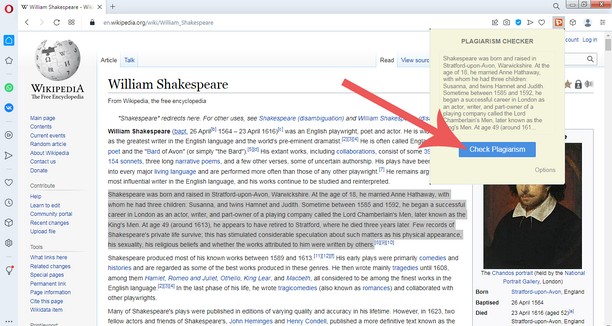
스크린샷


확장 기능 정보
- 다운로드 횟수
- 694
- 범주
- 검색
- 버전
- 1.0
- 크기
- 37.1 KB
- 최종 업데이트 일
- 2022년 12월 3일
- 라이선스
- Copyright 2022 plagiarisma
- 서비스 웹사이트
- http://plagiarisma.net
Related
-

Search all Tabs
탭의 제목과 내용에서 일치하는 용어를 찾기위한 강력한 오프라인 색인 생성 및 검색 도구
-

TinEye Reverse Image Search
This is the official TinEye Opera extension. Find out where an image came from, how it's used, or find higher resolution versions.
-

testhelp
Поиск вопросов и ответов
-

Error 404 Wayback Machine
In case of 404 page, checks automatically for an archived copy in the Wayback Machine.
-

MEPCO Bill - MEPCO Bill Online Check
MEPCO Bill Online Check by Reference Number. Enter your 14 Digit Reference Number to Check MEPCO Bill.