Opera 브라우저가 필요합니다.
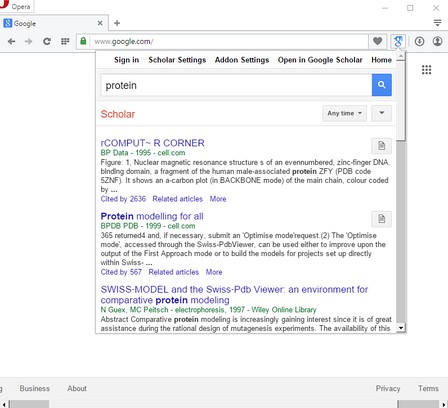
Panel for Google™ Scholar addon for Opera, gives you the ability to open Google Scholar in your browser's toolbar popup and easily search for articles or citations as you browse the web.
Some Features
1. A lite browser addon to show you Google Scholar page in the toolbar-popup.
2. Have instant access to citations and all other Google Scholar's functions just with one click.
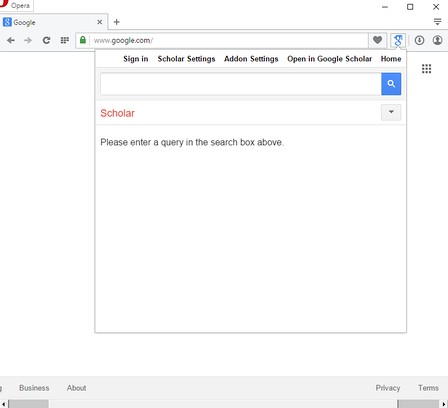
3. Have few added options in the toolbar popup (top section). For example opening the Addon's options page, scholar options page, and a Home button to clear search results.
4. The width and height for the popup is adjustable from the options page.
Note: to report any bugs, please visit the Addon's Homepage (http://mybrowseraddon.com/google-scholar.html) and fill the bug report form.
- 이 확장 기능은 모든 웹 사이트의 데이터에 액세스할 수 있습니다.
- 이 확장 기능은 탭 및 탐색 활동에 액세스할 수 있습니다.
스크린샷
확장 기능 정보
- 다운로드 횟수
- 30,769
- 범주
- 검색
- 버전
- 0.1.3
- 크기
- 42.5 KB
- 최종 업데이트 일
- 2017년 8월 16일
- 라이선스
- Copyright 2017 moristong
- 지원 페이지
- http://mybrowseraddon.com/google-scholar.html
Related
-
Kies Groener: Duurzaam Leven Tips, Blogs, etc.
Jouw gids voor duurzaam leven - het laatste nieuws van de blog, duurzamere producten en vacatures.
등급: 총 등급 수: 0
-
Image reverse search
Adds an option to the context menu to reverse search an image on various services
등급: 총 등급 수: 53
-
IP Address Finder
It uses a database of IP location addresses, provided from external service, that are associated to cities and to other informations
등급: 총 등급 수: 5
-
Google Reverse Image Search
Right-click on an image and perform a search with Google Lens. Icon by Daniel Bruce (Entypo Pack).
등급: 총 등급 수: 24
-
TinEye Reverse Image Search
This is the official TinEye Opera extension. Find out where an image came from, how it's used, or find higher resolution versions.
등급: 총 등급 수: 136