


 Opera böngésző szükséges.
- Ez a kiegészítő hozzáfér az adatához az összes webhelyen.
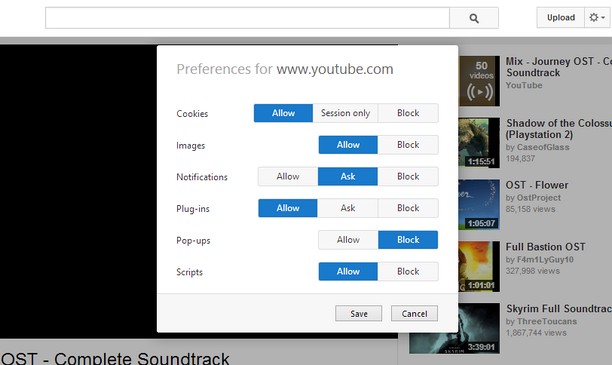
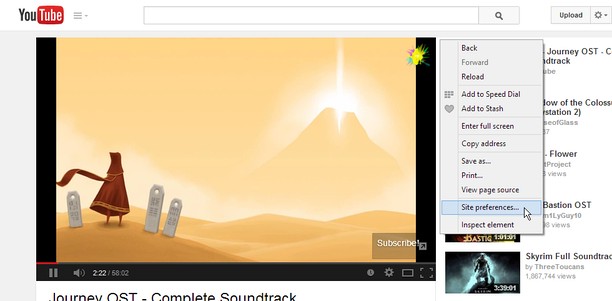
- Ez a kiegészítő olyan beállításokat módosít, amik meghatározzák, hogy a webhelyek használhatnak-e például süti, JavaScript, és plugin funkciókat
- Ez a kiegészítő hozzáfér a lapokhoz és a böngészési tevékenységhez.
Képernyőképek
A kiegészítőről
- Letöltések
- 14 441
- Kategória
- Produktivitás
- Verzió
- 1.2
- Méret
- 45,8 KB
- Last update
- 2014. augusztus 18.
- Licenc
- Támogatási lap
- https://github.com/ChaosinaCan/SitePreferences/issues
- Forráskód lapja
- https://github.com/ChaosinaCan/SitePreferences
Kapcsolódó
-

Hima Email Signature
Now you can install your email signature easily and quickly in Outlook Office 365, Google Inbox, Outlook.com, Gmail, Yahoo
-

Linkify For Opera
Converts any plain text to clickable links
-

BUP UCAM Extension
Adds UCAM evaluation quick-select, in-course and final exam planning, plus attendance present percentage alerts.
-

Evernote Web Clipper
Use the Evernote extension to save things you see on the web into your Evernote account.
-

Boomerang for Gmail™
Allows you to schedule messages to be sent or returned at a later date.